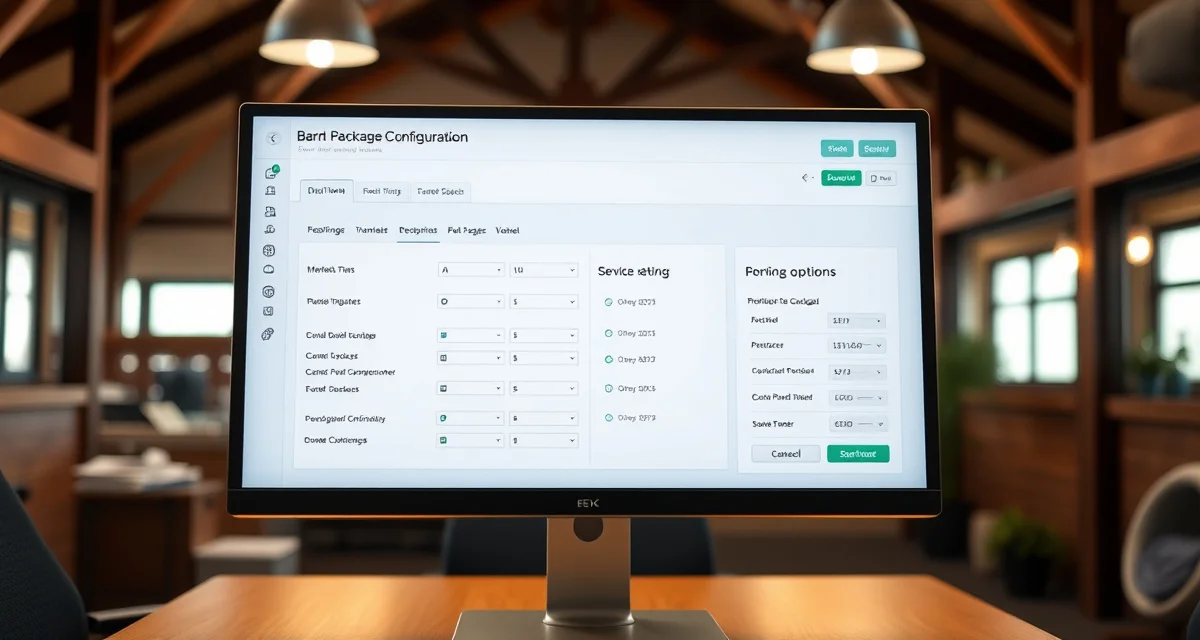
Setting Up Board Packages in Your Management System
Configuring board packages correctly in your barn management software is foundational work. Done right, it means invoices generate accurately without manual intervention, staff can see which services apply to each horse, and you have a clear audit trail when questions arise. Done carelessly, it creates billing errors, client disputes, and hours of administrative cleanup.
This guide walks through the key steps for setting up board packages in a barn management system so your billing reflects your actual operations.
Step One: Define Your Packages Before You Configure
Before touching the software, have complete written definitions for every package you offer. Each definition should specify: the housing type (stall, paddock, pasture), feeding schedule and what's included (hay, grain, supplements), stall cleaning frequency, turnout schedule, blanketing services, and any other regular services.
This document becomes the single source of truth for what each package includes. It should match what's in your boarding agreements and what you tell clients during the sales process. Inconsistency between any of these creates problems.
If you currently offer packages that have evolved informally over time and no longer have clear definitions, now is the time to formalize them. Trying to configure packages in software when the definitions are fuzzy leads to a messy system that reflects the fuzziness.
Step Two: Name Packages Consistently
Choose package names that are clear and descriptive. Avoid internal shorthand that won't mean anything to a new staff member or a client looking at their invoice.
Good names: Full Board, Partial Board, Pasture Board, Training Board, Self Care.
Names to avoid: Package A, Standard, Basic, or anything that requires context to understand.
Whatever names you choose, use them consistently everywhere: in the software, in boarding agreements, on invoices, and in conversations with clients. Switching between "full board," "full care," and "complete board" for the same package creates confusion.
Step Three: Configure Package Pricing
Enter the base monthly rate for each package. Most management systems let you enter a flat monthly rate that applies to all horses on that package type. Verify that the system handles prorating correctly for horses that join or leave mid-month. This is a common gap in simpler systems.
If you offer discounts for second horses from the same owner, multi-month commitments, or other standard adjustments, configure these as specific discount rules rather than manually adjusting invoices each month. Manual adjustments are easy to forget and harder to track.
If your rates vary by stall type within the same service level, for example full board in a standard stall versus a larger premium stall, you may need separate package entries for each stall type or a rate modifier. Check how your system handles this before setting it up.
Step Four: Set Up Add-On Services
Add-on services are charges that apply to specific horses beyond their base package. These include grain or supplement programs, extra blanket changes, medication administration, and any other services not covered by the base package.
Configure each common add-on as a named service with a standard rate. When a horse receives that service, staff log it against the specific horse and it flows to the invoice automatically. This is far more reliable than trying to remember all add-ons at the end of the month.
Set clear defaults for which add-ons are included in each package versus billed separately. If grain is included in full board but not pasture board, that should be configured in the system so you don't accidentally bill full board horses for grain.
BarnBeacon organizes add-on services so they can be logged as they occur and automatically included on monthly invoices, which eliminates the manual charge-hunting that plagues end-of-month billing at many facilities.
Step Five: Assign Packages to Horses
Once packages are configured, assign each horse to the correct package. This should happen at the time of move-in, not retroactively. Ensure the effective start date is recorded accurately.
If you're migrating from a manual billing system, audit your current horse list and assign each horse to the appropriate package in the software before your first billing cycle. Take this opportunity to verify that your current billing rates match what each boarder is supposed to be paying per their boarding agreement.
Discrepancies between what a boarder is being charged and what their agreement says are common after years of informal billing. Address these before they persist in the new system.
Step Six: Test Before Going Live
Before running your first billing cycle with the new system, run a test. Generate draft invoices for all active boarders and compare them to what you would have billed manually. Check amounts, line item descriptions, and that add-ons are attached to the correct horses.
Find and fix discrepancies in the system configuration before real invoices go out. It's much easier to correct a setup error than to issue corrected invoices and explain the discrepancy to clients.
A well-configured package structure in your management system makes boarding billing management significantly easier every month. The time invested in setting this up correctly at the beginning pays off in cleaner invoices and fewer billing questions for as long as you use the system.
FAQ
What is Setting Up Board Packages in Your Management System?
Setting up board packages in your management system means configuring your barn software to accurately reflect every boarding option you offer—stall, paddock, or pasture—along with all included services like feeding, stall cleaning, turnout, and blanketing. Proper setup ensures invoices generate automatically, staff know which services apply to each horse, and you maintain a clean audit trail. It's foundational work that drives accurate billing and smooth barn operations.
How much does Setting Up Board Packages in Your Management System cost?
The software itself varies in cost depending on your provider, but setting up board packages is typically a configuration task included in your subscription. The real cost is time: expect several hours to document packages, enter them into the system, and test billing accuracy. Skipping this upfront investment leads to billing errors and client disputes that cost far more to resolve later.
How does Setting Up Board Packages in Your Management System work?
The process starts before you touch the software. First, write clear definitions for every package you offer, specifying housing type, feeding schedule, cleaning frequency, turnout, and included extras. Then you enter those definitions into your management system, assign services and pricing, link horses to the correct packages, and test that invoices generate accurately. Each package definition becomes the source of truth for billing and client agreements.
What are the benefits of Setting Up Board Packages in Your Management System?
Properly configured board packages eliminate manual invoice calculations, reduce billing errors, and minimize client disputes. Staff can instantly see which services apply to each horse without guessing. You get a clear audit trail when questions arise. Automated billing frees up hours of administrative time each month, and consistent package definitions across your software, boarding agreements, and client communications build trust with clients.
Who needs Setting Up Board Packages in Your Management System?
Any barn owner or manager who boards horses and uses management software needs proper package setup. It's especially critical for operations with multiple board types, add-on services, or a large client base. If you're currently building invoices manually, experiencing billing disputes, or running informal packages that have evolved without clear definitions, configuring your system correctly is an immediate priority.
How long does Setting Up Board Packages in Your Management System take?
Initial setup typically takes a few hours to a full day depending on how many packages you offer and how well-defined they already are. If you need to formalize undocumented packages first, add time for that documentation step. Testing billing accuracy and correcting errors may take additional time. Ongoing maintenance—updating packages when your offerings change—is minimal once the foundation is correctly built.
What should I look for when choosing Setting Up Board Packages in Your Management System?
Look for a system that lets you define packages with granular service details, supports add-ons and one-time charges alongside recurring fees, and automates invoice generation. It should give staff visibility into per-horse service requirements and maintain a billing audit trail. Flexibility to handle pricing exceptions without breaking your base packages is valuable. Integration with payment processing reduces additional administrative steps.
Is Setting Up Board Packages in Your Management System worth it?
Yes. The upfront time investment in defining and configuring board packages correctly pays back quickly through automated billing, fewer errors, and less time spent on administrative cleanup. Barns that skip this step often find themselves manually reconciling invoices, fielding client complaints, and losing revenue through inconsistent billing. A well-configured system scales with your operation without proportionally increasing your administrative workload.