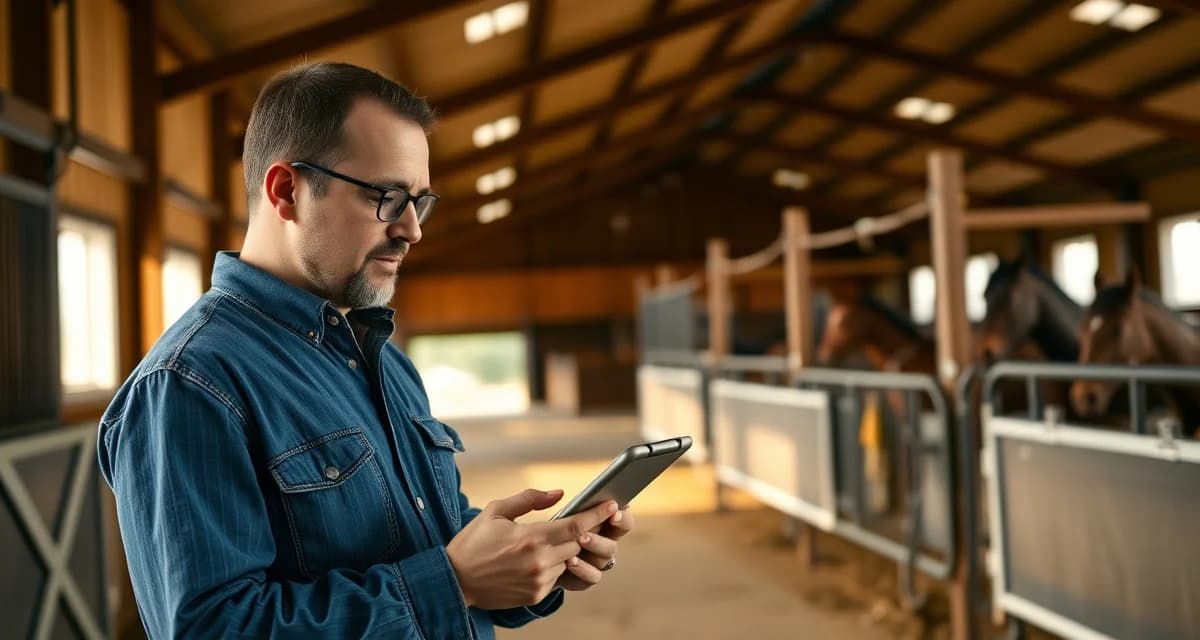
Barrel Racing Barn Owner Communication: Communication and Updates
Barrel racing barn owners face a communication challenge that generic barn software simply doesn't address. The discipline has unique owner communication patterns, from tracking cloverleaf run times and arena footing conditions to coordinating hauling schedules around rodeo circuits, that no off-the-shelf messaging tool was built for. Getting barrel-racing barn owner communication 360 right means building a system that matches how this sport actually operates.
TL;DR
- Emergency protocols are only useful if they are written, posted, and reviewed with all staff before an emergency occurs.
- Contact sheets with vet, farrier, and owner information should be in every barn aisle and accessible from every phone.
- Incident documentation immediately after an event protects the facility legally and supports insurance claims.
- Evacuation routes for horses need to be practiced, not just posted: horses trained to load quickly during drills load faster in emergencies.
- Staff who have never seen a colic or lacerations make worse decisions than staff who have reviewed protocols in advance.
- BarnBeacon stores emergency contacts, health records, and Coggins documents accessibly from any device at any time.
This guide walks you through exactly how to set that up.
Why Barrel Racing Barns Need a Different Communication Approach
Most horse owners in a barrel racing program are deeply invested in performance metrics. They want split times, conditioning notes, and arena surface updates, not just a weekly "your horse is doing fine" text.
At the same time, these owners are often traveling competitors themselves. They're at jackpots on weekends, hauling to futurity qualifiers, or running their own horses at local shows. That means your communication needs to reach them on mobile, be scannable in 30 seconds, and contain the specific data they care about.
Generic barn management tools treat all disciplines the same. That's a problem when your owners are asking about pattern work progress and you're sending them a generic feeding log.
Step 1: Audit What Your Owners Actually Need to Know
Identify the Core Information Categories
Before you build any communication system, list out what barrel racing owners consistently ask about. In most programs, that breaks down into four buckets:
- Performance data: Run times, pattern consistency, speed scores, futurity prep milestones
- Health and conditioning: Leg care, joint maintenance, shoeing schedules, body condition scores
- Scheduling: Arena availability, hauling dates, clinic schedules, rodeo entry deadlines
- Facility updates: Footing conditions, arena maintenance windows, weather-related closures
Write these down. This list becomes the template structure for every update you send.
Map Update Frequency to Category
Not every category needs daily attention. Performance data might go out after each training session. Health updates can be weekly unless something changes. Scheduling notices need to go out at least two weeks in advance for rodeo-circuit owners who are planning hauls.
Set a communication calendar before you build anything else. Owners who know when to expect updates stop sending you individual texts asking for status checks.
Step 2: Choose the Right Communication Channel
Why Email Alone Doesn't Work
Email open rates for barn communications average around 20-25% in the equine industry. For time-sensitive updates like arena closures or health alerts, that's not good enough.
Barrel racing owners respond faster to push notifications and SMS. If your communication system can't send a quick alert to a phone, you're going to miss people when it matters most.
Build a Multi-Channel Stack
The most effective barrel racing barn communication setups use three layers:
- Owner portal for detailed reports, documents, and historical records
- Push notifications or SMS for time-sensitive alerts
- Email for formal updates, invoices, and monthly summaries
An owner communication portal purpose-built for barn management handles all three layers in one place, so you're not copying and pasting the same update into three different apps.
Step 3: Build Discipline-Specific Update Templates
The Weekly Performance Update Template
This is the update barrel racing owners care most about. Keep it structured and consistent so owners can scan it in under a minute.
Template structure:
- Horse name and date
- Training focus this week (e.g., rate work, pocket improvement, speed runs)
- Notable observations (positive and areas to watch)
- Next week's plan
- Any health or maintenance notes
Consistency matters more than length. Owners who receive the same format every week start reading faster and asking fewer follow-up questions.
The Facility and Scheduling Alert Template
For arena footing changes, weather closures, or schedule shifts, keep it short and direct:
- What changed
- When it takes effect
- What owners need to do (if anything)
A two-sentence push notification beats a three-paragraph email for this type of update.
The Health and Maintenance Report
For leg care, chiropractic visits, farrier appointments, and vet checks, document with specifics. Barrel racing owners want to know which leg was iced, what the farrier said about breakover angle, and whether the horse came out of its last run tight or loose.
Vague updates like "horse looks good" erode trust fast in a performance discipline.
Step 4: Set Up Your Owner Portal
What to Configure First
If you're using a platform like BarnBeacon, start by setting up individual horse profiles with barrel racing-specific fields. That means adding fields for:
- Competition record and futurity eligibility
- Pattern work notes
- Run time tracking
- Leg care log
Generic barn software often gives you fields for feeding and turnout. That's not enough for a performance program. BarnBeacon's owner portal adapts to barrel racing barn workflows, letting you customize what owners see in their dashboard based on what actually matters for this discipline.
Invite Owners and Set Permissions
Not every owner needs to see every piece of information. Some want full access to training logs. Others just want the weekly summary and billing. Set permission levels accordingly.
Send a short onboarding message when you invite owners to the portal. Explain what they'll find there, how often it updates, and who to contact with questions. A 3-sentence welcome note cuts down on first-week support questions significantly.
Connect Your Barrel Racing Barn Operations Workflow
Your communication system should pull from your daily operations, not run parallel to them. If you're logging training sessions in your barn management software, those notes should flow directly into owner-facing updates without requiring you to re-enter data.
Look for platforms where the internal workflow and the owner-facing portal are connected. Double data entry is where communication consistency breaks down.
Step 5: Establish Response Protocols
Set Clear Response Time Expectations
Tell owners upfront how quickly they can expect a reply to portal messages. A 24-hour response window during weekdays is standard. Be explicit about weekend availability, especially during peak rodeo season when you may be hauling yourself.
Owners who know your response window don't send three follow-up messages when they haven't heard back in two hours.
Create an Escalation Path for Urgent Issues
For health emergencies or injury alerts, define a clear escalation path. Who calls the vet? Who notifies the owner? What's the communication sequence?
Document this process and share it with owners during onboarding. Knowing the protocol in advance reduces panic and confusion when something actually goes wrong.
Common Mistakes to Avoid
Sending updates on an inconsistent schedule. Owners who don't know when to expect communication fill the gap with direct texts and calls. Pick a schedule and stick to it.
Using generic language for performance updates. "Had a good week" tells a barrel racing owner nothing. Specifics build trust. "Worked on rate at the second barrel, showing improvement in pocket placement" is what they're paying for.
Ignoring footing and facility updates. Barrel racing owners care deeply about arena conditions. A horse that runs on compromised footing is a horse at risk. Proactive footing updates show owners you're thinking about their horse's safety, not just their training progress.
Mixing urgent alerts with routine updates in the same channel. If owners learn to ignore your daily portal notifications because they're always routine, they'll miss the urgent ones. Keep channels purpose-specific.
How do I communicate with barrel racing horse owners?
Use a multi-channel approach: an owner portal for detailed reports and records, push notifications or SMS for time-sensitive alerts, and email for formal summaries and invoices. Set a consistent update schedule and use discipline-specific templates so owners always know what to expect and where to find information.
What do barrel racing owners want to know about their horses?
Barrel racing owners prioritize performance data (run times, pattern work progress, futurity prep milestones), leg care and conditioning notes, shoeing and vet updates, and facility conditions like arena footing. Vague updates don't cut it in a performance discipline. Owners want specifics they can use to make decisions about competition schedules and care investments.
What owner portal features matter for barrel racing barns?
Look for customizable horse profiles with performance-specific fields, direct messaging with notification alerts, document storage for vet and farrier records, and a training log that owners can view in real time. The portal should connect to your internal barn operations workflow so you're not entering data twice. BarnBeacon's owner portal is built to adapt to barrel racing barn workflows, including the reporting and tracking needs specific to this discipline.
How often should staff review emergency protocols?
Emergency protocols should be reviewed with all staff at least twice per year, and with each new employee during onboarding. Physical drills for horse evacuation, even informal ones, build the muscle memory that makes actual emergencies less chaotic. A protocol that has never been practiced will not function as intended under stress. Documenting review dates and participants creates a record that supports the facility's insurance position.
What information should be in a barn emergency contact sheet?
The emergency contact sheet should include the primary veterinarian's number, the emergency or after-hours vet line, the farrier, the feed supplier for emergencies, each horse owner's name and emergency contact, the facility owner or manager's number, and the addresses and phone numbers of the nearest large animal vet clinic and equine hospital. This sheet should be posted in the barn aisle and saved digitally in a location accessible from every staff member's phone.
How should I document a horse injury incident at my facility?
Document the incident immediately: the time, the horse, the nature of the injury, how it was discovered, what was done in response, and who was notified. Photograph the injury before and after first aid. Note any environmental factors that may have contributed, such as fencing condition or footing. Notify the owner the same day, by phone before sending a written summary. This documentation is essential for insurance purposes and protects the facility if the owner later claims inadequate response.
Related Articles
- Barrel Racing Barn Owner Communication: Daily Updates and Best Practices
- Barrel Racing Barn Owner Communication: Health and Updates
FAQ
What is Barrel Racing Barn Owner Communication: Communication and Updates?
Barrel racing barn owner communication refers to the systems and protocols barn managers use to keep horse owners informed about their animals, facility conditions, and competition-related updates. This includes sharing run times, arena footing reports, hauling schedules, health incidents, and emergency alerts. Unlike general equine facilities, barrel racing barns must coordinate around rodeo circuits and fast-paced competition calendars, requiring communication tools tailored to the sport's unique demands rather than generic barn management software.
How much does Barrel Racing Barn Owner Communication: Communication and Updates cost?
Dedicated barrel racing barn communication systems like BarnBeacon typically operate on monthly subscription models ranging from basic free tiers to premium plans. Costs vary based on the number of horses, staff accounts, and features like automated alerts or document storage. Compared to the legal and financial risk of poor incident documentation or missed emergency contacts, investing in a structured communication platform is minimal. Many barn owners find the time saved on phone calls and text chains alone justifies the cost.
How does Barrel Racing Barn Owner Communication: Communication and Updates work?
Effective barrel racing barn owner communication works by centralizing all horse-related information into one accessible platform. Barn managers log health updates, footing conditions, run times, and incidents as they happen. Owners receive real-time notifications via app or text. Emergency contacts, Coggins documents, and vet records are stored and retrievable from any device. Staff follow pre-written protocols for injuries or emergencies, and hauling and rodeo circuit schedules are shared proactively so owners stay informed without constant back-and-forth.
What are the benefits of Barrel Racing Barn Owner Communication: Communication and Updates?
A structured communication system reduces liability, improves horse care outcomes, and saves hours of administrative time each week. Barn owners benefit from fewer frantic owner calls, clearer incident documentation for insurance purposes, and faster emergency response when contacts and protocols are pre-loaded. For barrel racing specifically, owners appreciate real-time updates on arena footing and competition scheduling. Horses benefit too—staff who have reviewed emergency protocols in advance respond more effectively during colic episodes, injuries, or evacuations.
Who needs Barrel Racing Barn Owner Communication: Communication and Updates?
Any barrel racing facility boarding horses for active competitors needs a formal communication system. This includes private training barns, multi-discipline facilities with barrel racers, and rodeo circuit operations with rotating rosters. Barn managers dealing with owners who haul frequently, compete across multiple states, or keep horses at the barn while traveling need reliable, documented communication. Staff handling emergencies without the primary manager present also need clear protocols and accessible contact information to make good decisions independently.
How long does Barrel Racing Barn Owner Communication: Communication and Updates take?
Setting up a basic communication system for a barrel racing barn takes a few hours: drafting emergency protocols, compiling owner and vet contact sheets, and loading health records into a platform like BarnBeacon. Ongoing time investment is minimal—logging daily updates takes minutes, and automated alerts handle most owner notifications. The upfront setup time is a one-time cost that pays dividends during every emergency or incident. Reviewing protocols with staff seasonally or before busy rodeo circuits adds another hour but significantly improves preparedness.
What should I look for when choosing Barrel Racing Barn Owner Communication: Communication and Updates?
Look for a system that stores emergency contacts, health records, and Coggins documents accessibly from mobile devices. It should support real-time incident logging, owner notifications, and hauling schedule coordination. Barrel racing-specific needs include footing condition updates and competition calendar integration. Prioritize platforms where staff can access critical information without manager intervention. Evaluate whether the system supports documentation thorough enough for insurance claims. Ease of use for non-technical staff matters—a protocol only works if it's actually followed during high-stress situations.
Is Barrel Racing Barn Owner Communication: Communication and Updates worth it?
Yes, for any barrel racing barn managing more than a handful of horses, a structured communication system is worth every dollar and hour invested. The alternative—relying on group texts, paper binders, and memory—fails during emergencies when speed and accuracy matter most. One undocumented incident, one missed vet call, or one owner dispute over what was communicated can cost far more than a year of software subscriptions. Platforms like BarnBeacon exist specifically to close these gaps before they become expensive problems.
Sources
- American Association of Equine Practitioners (AAEP), equine emergency response guidelines
- American Red Cross, first aid training resources applicable to farm environments
- National Fire Protection Association (NFPA), fire safety standards for agricultural structures
- United States Department of Agriculture (USDA), livestock emergency preparedness resources
- American Horse Council, equine facility safety and emergency planning guidance
Get Started with BarnBeacon
BarnBeacon stores emergency contacts, health records, and Coggins documents in one place accessible from any phone at any time, so the information you need in an emergency is never locked in a binder in the office. Start a free 30-day trial to see how it fits your facility's safety protocols.