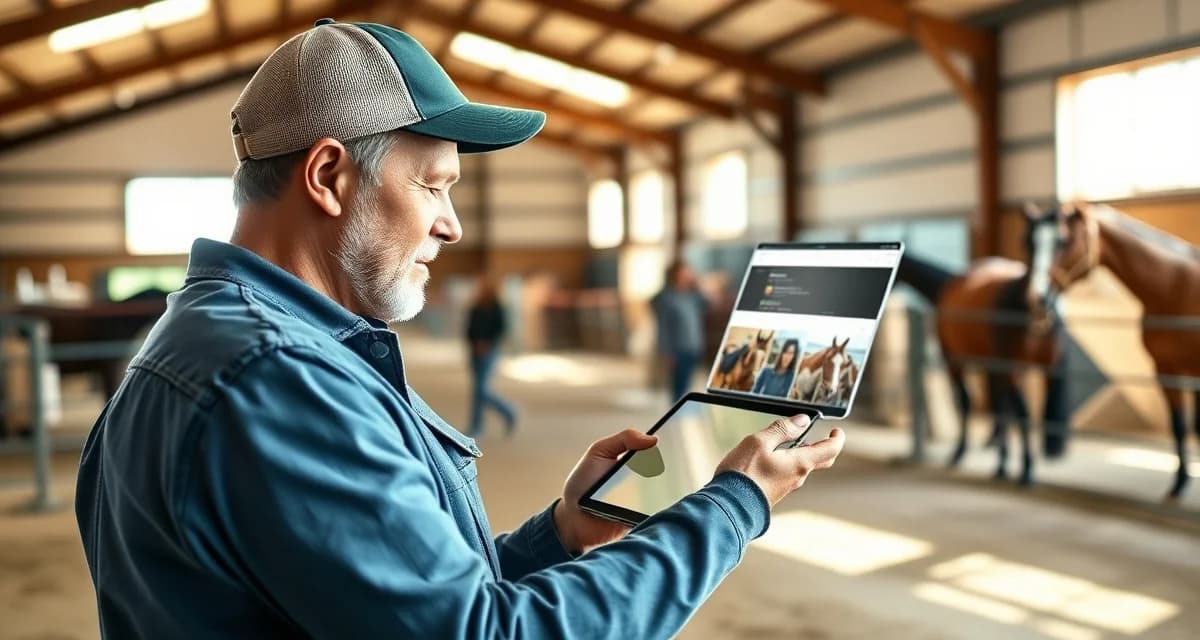
Horse Barn Photo Sharing with Owners: Tools and Best Practices
Horse owners rank communication quality as the #1 factor in boarding satisfaction, according to an AAEP survey. Yet most barns still rely on group texts and the occasional Instagram post to keep owners in the loop. That gap between what owners want and what barns deliver is exactly where horse barn photo updates with owners breaks down.
TL;DR
- owner communication is the top factor in boarding client retention, ranked above facility quality and pricing in surveys
- Structured daily updates take under 30 seconds to log when built into care workflows and deliver outsized retention value
- Health alerts sent within 30 minutes of an event, with a documented response timeline, build owner confidence
- Billing transparency, specifically itemized invoices and pre-approval for large expenses, prevents most financial disputes
- An owner communication portal gives clients a single place to check updates and reduces inbound call volume significantly
- Written onboarding communication expectations reset habits from a boarder's previous barn and prevent early misunderstandings
This guide covers the tools, workflows, and best practices that fix the problem for good.
Why Group Texts Are Failing Your Owners
Group texts feel convenient until they aren't. Photos get buried under replies, owners who aren't in the thread miss updates entirely, and there's no record of what was shared or when.
Privacy is another issue. Sending a photo of one horse to a group that includes other owners creates awkward situations fast. One complaint about a visible injury or a messy stall can damage trust you spent years building.
The default approach also puts the entire communication burden on the barn manager. When you're managing 20 horses, remembering to text 20 different owners is not a system. It's a liability.
Step 1: Choose the Right Platform for Photo Sharing
Consumer Apps (Low Barrier, Low Structure)
Apps like WhatsApp, Facebook Messenger, and iMessage are free and familiar. They work for small barns with fewer than five owners who already know each other.
The ceiling is low. There's no organization by horse, no searchable history, and no way to automate anything. As your barn grows, these tools create more chaos than they solve.
Cloud Storage Folders (Better Organization, Still Manual)
Google Drive or Dropbox folders organized by horse name give owners a dedicated place to find their photos. You can set folder-level permissions so each owner only sees their own horse.
The downside is that someone still has to upload every photo manually, name files consistently, and remember to notify owners when new content is added. It's better than group texts, but it's not a system.
Purpose-Built Equine Boarding Platforms (Best for Scale)
An equine boarding photo update system built specifically for barn management handles the structure, permissions, and notifications automatically. Owners log into a portal tied to their specific horse. Photos, health notes, and billing all live in one place.
This is the approach that actually scales past a handful of horses without burning out your staff.
Step 2: Set a Consistent Photo Frequency
Inconsistency is the fastest way to erode owner trust. If you post daily for two weeks and then go silent, owners assume something is wrong.
Pick a frequency you can maintain without heroic effort:
- Daily barns: One photo or short video per horse per day, ideally during turnout or feeding
- Weekly barns: A minimum of three updates per week, with a health note attached
- Event-based: Always send a photo after farrier visits, vet checks, or any notable behavior
The goal is predictability. Owners should know when to expect updates, not wonder if no news is bad news.
Step 3: Configure Privacy Settings Before You Share Anything
Before the first photo goes out, lock down your permissions structure. Every owner should only see content tied to their horse.
If you're using a dedicated owner communication portal, this is handled at the account level. Each owner profile is linked to specific horses, and the system enforces those boundaries automatically.
If you're using cloud folders, set sharing permissions individually for each folder. Never share a folder link in a group text. That defeats the entire purpose.
For video content, check file size limits on your platform before you start recording. A 90-second turnout video at full resolution can exceed 500MB, which breaks most email-based delivery systems.
Step 4: Add Context to Every Photo
A photo of a horse standing in a field tells an owner almost nothing. A photo with a two-sentence note that says "Ranger had a great turnout this morning, moving well after yesterday's farrier visit" tells them everything they need.
Context is what separates a photo dump from a genuine update. It takes 15 seconds to type and dramatically increases owner satisfaction.
Include at minimum:
- The horse's name and date
- What the horse was doing or how it was behaving
- Any relevant health or care notes from that day
Step 5: Automate What You Can
Manual photo sharing is sustainable for a barn with three horses. It is not sustainable for a barn with thirty.
BarnBeacon's owner portal is built around this reality. Daily reports, health alerts, and billing go out automatically, so barn managers aren't spending an hour each evening composing individual updates. Owners receive a structured summary tied to their horse, not a group message that may or may not be relevant to them.
The automation also creates a documented record. If an owner later disputes a health timeline or questions when a vet was called, the log is already there.
Common Mistakes to Avoid
Sharing before you have permission. Some owners don't want photos of their horses posted publicly. Get written confirmation of each owner's preferences before you share anything outside a private portal.
Using one channel for everything. Mixing billing questions, emergency alerts, and casual photo updates into the same thread trains owners to ignore your messages. Separate channels for separate purposes.
Letting the system go dark during busy seasons. Show season and foaling season are exactly when owners are most anxious. That's when consistent updates matter most, not least.
Skipping the health context. A photo of a horse with a swollen leg and no explanation will generate a panicked phone call within minutes. Always lead with context when something looks unusual.
What should barn managers communicate to horse owners every day?
At minimum, owners want to know their horse was seen, is eating normally, and has no visible health concerns. A daily update should include a photo or short video, a one or two sentence behavioral note, and any care events from that day such as farrier visits or medication. If nothing notable happened, that itself is worth communicating.
How do I replace group texts with a better owner communication system?
Start by choosing a platform that supports individual owner profiles tied to specific horses. Move billing, health updates, and photo sharing into that platform first, then stop initiating new conversations over text. Give owners two to four weeks to adjust, and make sure the new system is easier for them to use than texting was. Purpose-built tools like BarnBeacon handle this transition by consolidating everything into one owner-facing portal.
What do horse owners want to know about their horses at a boarding barn?
Owners consistently want three things: proof their horse is healthy, confirmation that daily care routines are being followed, and early notice of anything unusual. Photos and short videos satisfy the first need. Structured daily reports satisfy the second. Automated health alerts satisfy the third. Barns that deliver all three through a single organized system consistently outperform those that rely on ad hoc communication.
How does BarnBeacon compare to spreadsheets for barn management?
Spreadsheets require manual updates, lack real-time notifications, and create version control problems when multiple staff members are working from different files. BarnBeacon centralizes records, pushes alerts automatically based on logged events, and connects care records to billing and owner communication in one system. Most facilities report saving several hours per week after switching from spreadsheets.
What is the setup process like for BarnBeacon?
Most facilities complete the initial setup in under a week. Horse profiles, service templates, and billing configurations can be imported from existing records or entered directly. BarnBeacon's US-based support team is available to assist with setup, and most managers are running their first billing cycle through the platform within days of starting.
Can BarnBeacon support a barn with multiple staff members?
Yes. BarnBeacon supports multiple user accounts with role-based access, so barn managers, barn staff, and owners each see the information relevant to their role. Task assignments, completion logs, and communication history are all attached to the barn's account rather than to individual staff phones or email addresses.
FAQ
What is Horse Barn Photo Sharing with Owners: Tools and Best Practices?
Horse barn photo sharing with owners is a structured communication practice where barn managers send regular photo updates, health alerts, and care documentation directly to horse owners through dedicated tools or apps. Unlike casual group texts or social media posts, it creates an organized, private channel for daily check-ins, medical events, and milestone moments. It transforms reactive owner communication into a proactive system that builds trust, reduces inbound calls, and keeps owners connected to their horse's daily life regardless of how often they visit.
How much does Horse Barn Photo Sharing with Owners: Tools and Best Practices cost?
Costs vary widely depending on the approach. Basic solutions using existing messaging apps cost nothing but lack structure and scalability. Dedicated barn management platforms with owner portals typically range from $30 to $150 per month depending on horse count and features. Some tools charge per user. When evaluated against the cost of losing even one boarding client, most barns find that structured photo-sharing tools pay for themselves quickly, especially given that owner communication ranks as the top factor in boarding satisfaction and retention.
How does Horse Barn Photo Sharing with Owners: Tools and Best Practices work?
Barn staff capture short videos or photos during routine care tasks like feeding, turnout, and grooming, then send them through a dedicated owner portal, app, or structured messaging system. Updates are tagged to specific horses and timestamped, giving owners a clear daily log. Health alerts are sent within 30 minutes of any incident with a documented response. The workflow is designed to add under 30 seconds per horse per update when integrated into existing care routines rather than treated as a separate task.
What are the benefits of Horse Barn Photo Sharing with Owners: Tools and Best Practices?
Structured photo sharing reduces owner anxiety, cuts inbound phone calls and texts, and significantly improves boarding client retention. Owners who receive consistent visual updates feel more connected to their horse's wellbeing and are more forgiving when issues arise. Barns that implement proactive communication systems report fewer disputes over health events and billing. It also creates a documented care record that protects the barn in liability situations and differentiates the facility from competitors still relying on informal group chats.
Who needs Horse Barn Photo Sharing with Owners: Tools and Best Practices?
Any barn boarding horses for paying clients benefits from structured photo sharing, but it is especially valuable for facilities managing multiple owners across different disciplines. Trail riding barns, show barns, lesson programs with leased horses, and 4-H facilities all have owners who cannot be on-site daily. Young horse owners and first-time boarders particularly benefit from frequent visual reassurance. Facilities experiencing high boarder turnover or frequent owner complaints about communication gaps are the most immediate candidates for implementing a dedicated photo update system.
How long does Horse Barn Photo Sharing with Owners: Tools and Best Practices take?
Once a system is in place, individual photo updates take under 30 seconds to capture and send per horse per day. Initial setup, including choosing a platform, creating horse profiles, and onboarding owners, typically takes a few hours spread across a week. Staff training usually requires one walkthrough session. The bigger investment is building the habit into daily care routines, which most barns report takes two to three weeks before it feels automatic. Health alert workflows should be established before the first incident, not after.
What should I look for when choosing Horse Barn Photo Sharing with Owners: Tools and Best Practices?
Look for a tool that integrates into daily care workflows without adding significant time. Key features include per-horse photo tagging, timestamped updates, push notifications for owners, and a clean owner-facing portal that does not require technical skill to use. Health alert capabilities with response documentation are essential. Avoid tools that require owners to download complex apps or create accounts with friction. Bonus features include billing transparency, pre-approval workflows for expenses, and onboarding communication templates that set expectations with new boarders from day one.
Is Horse Barn Photo Sharing with Owners: Tools and Best Practices worth it?
Yes, for any barn where owner retention and referrals matter. Horse owners consistently rank communication quality above facility quality and pricing when evaluating boarding satisfaction. A boarder who feels informed and connected is far less likely to move their horse over minor frustrations. The retention math is straightforward: one lost boarding client typically represents thousands of dollars in annual revenue. Structured photo sharing is one of the lowest-cost, highest-impact changes a barn can make, and barns that implement it consistently report stronger client relationships and fewer disputes.
Sources
- American Association of Equine Practitioners (AAEP)
- American Horse Council
- Kentucky Equine Research
- UC Davis Center for Equine Health
- American Horse Council Economic Impact Study
Get Started with BarnBeacon
Owner communication that runs on group texts and personal phones is a system waiting to break. BarnBeacon gives equine facilities the structure to deliver consistent, horse-specific updates automatically, keep health alerts separate from routine notices, and give owners portal access to their horse's complete history. Start a free trial and see what your communication looks like when it runs through a system built for it.