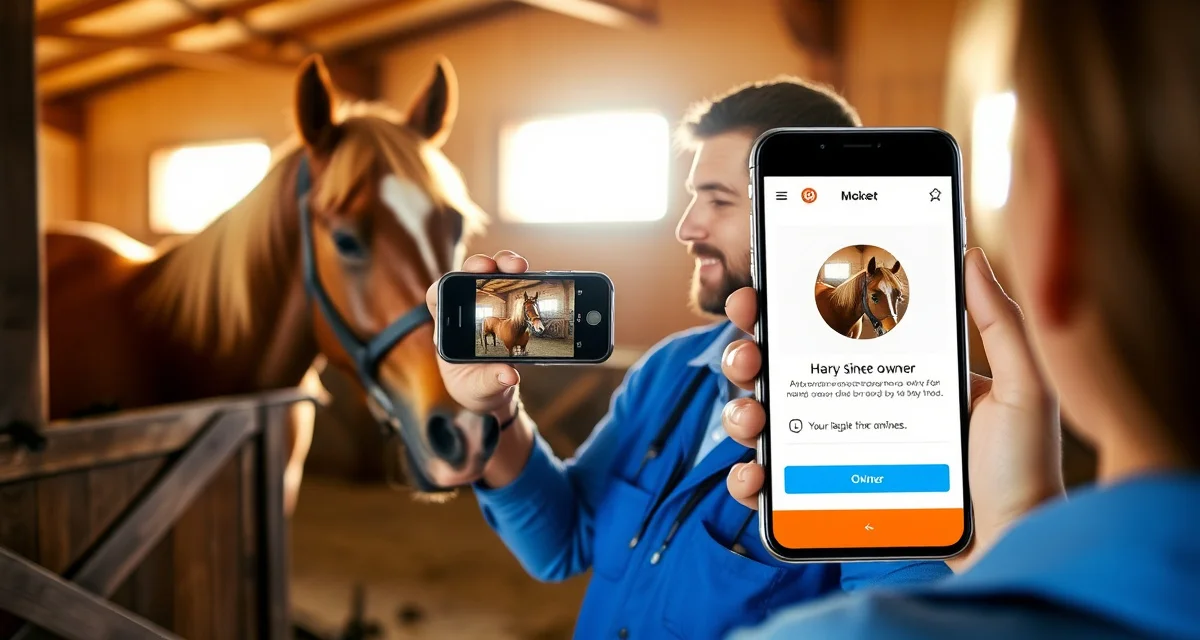
Horse Care Photo Updates for Boarding Owners: A Manager Guide
owner communication quality is the #1 boarding satisfaction driver, yet most barns still rely on group texts and sporadic emails to keep owners in the loop. That gap between what owners want and what facilities deliver is where boarding relationships break down, and where horse care photo updates for owners become a genuine operational priority.
TL;DR
- Owner communication is the top factor in boarding client retention, ranked above facility quality and pricing in surveys
- Structured daily updates take under 30 seconds to log when built into care workflows and deliver outsized retention value
- Health alerts sent within 30 minutes of an event, with a documented response timeline, build owner confidence
- Billing transparency, specifically itemized invoices and pre-approval for large expenses, prevents most financial disputes
- An owner communication portal gives clients a single place to check updates and reduces inbound call volume significantly
- Written onboarding communication expectations reset habits from a boarder's previous barn and prevent early misunderstandings
This guide walks you through exactly how to build a structured visual update system, from what to photograph to how often, which platforms hold up under real barn conditions, and what liability considerations you need to think through before you start.
Why Ad Hoc Updates Are Costing You Boarders
When an owner doesn't hear from you, they don't assume everything is fine. They assume something is wrong and you're not telling them. That anxiety drives calls, texts, barn drop-ins at inconvenient times, and eventually, a move to another facility.
The problem with email chains and group texts is that they're reactive. You respond when something happens, not as part of a consistent routine. Owners notice the inconsistency, and it erodes trust even when the care itself is excellent.
A structured equine boarding visual update system flips that dynamic. Owners receive regular, predictable communication that reassures them without requiring you to field individual requests all day.
Step 1: Define Your Update Frequency
Daily vs. Weekly Updates
Daily photo updates are the gold standard for full-care boarding. A single photo per horse per day takes under two minutes to capture and send, but it dramatically reduces inbound owner inquiries.
Weekly updates work for pasture board or partial care situations where horses have less daily handling. If you're running a mixed facility, set different expectations by board type from the start.
Set Expectations at Move-In
Document your update schedule in the boarding agreement. Specify the frequency, the platform you use, and the window of time updates go out. "Daily photo updates sent by 10 AM via the barn app" is a commitment owners will hold you to, so only promise what you can consistently deliver.
Step 2: Know What to Photograph
Daily Condition Shots
The most useful daily photo is a simple standing shot showing the horse's overall condition, attitude, and coat. Shoot from the side, in decent light, with the horse's full body in frame. This creates a visual baseline that's invaluable if a health concern develops later.
Capture the horse eating or drinking when possible. Owners find these photos particularly reassuring because they confirm normal appetite and behavior without you having to write a single word.
Document Anything That Changes
Photograph any new scrape, swelling, or change in condition immediately, even if it's minor. Sending a photo proactively with a brief note ("Small scrape on left hind from turnout, cleaned and monitored, no lameness") prevents the owner from discovering it themselves and wondering why you didn't mention it.
This is also where your photo record becomes a liability asset. Timestamped images showing the progression of a minor injury protect you if an owner later claims the issue was ignored or mishandled.
Turnout and Social Moments
Candid shots of horses in turnout, interacting with herd mates, or simply grazing are the updates owners share with friends and family. They're low-effort for you and high-value for the relationship. Aim for one of these per week per horse.
Step 3: Choose the Right Platform
What to Look for
Email and group texts fail for three reasons: photos compress poorly, threads get buried, and there's no searchable history. What you need is a platform that stores media by horse, timestamps everything, and notifies owners without requiring them to dig through a chat thread.
Some barn managers use generic apps like WhatsApp or Facebook Messenger. These work until they don't, and they create privacy issues when owner contact information is visible to other boarders.
A purpose-built owner communication portal solves these problems by keeping each horse's records, photos, and updates in one organized place that only the relevant owner can access.
Automation Matters at Scale
If you're managing 20 or more horses, manual photo distribution becomes a bottleneck fast. Look for a system that lets you upload a photo once and automatically routes it to the correct owner. BarnBeacon, for example, automates daily reports, photo sharing, and health alerts so barn staff spend time with horses, not inboxes.
Step 4: Build a Repeatable Workflow
Assign Photo Duties Clearly
Photo updates fail when they're everyone's responsibility, which means they become no one's responsibility. Assign one staff member per shift to handle updates for the horses they're already working with. Tie it to the morning feeding routine so it happens before the day gets unpredictable.
Use a Simple Checklist
A one-page daily checklist that includes "photo taken and sent" as a line item is more effective than any policy memo. Staff complete it, you can verify it, and owners receive consistent updates regardless of who's working.
Batch Your Uploads
Rather than sending photos one at a time throughout the day, batch them at a set time. This creates a predictable rhythm owners can count on and reduces the number of notifications they receive. One daily summary with photos and brief notes is more professional than five scattered messages.
Step 5: Handle Liability Thoughtfully
Get Written Consent
Before posting or sharing any photos of horses, confirm you have written permission from the owner. Most boarding contracts include a media release clause, but if yours doesn't, add one. This matters especially if you share barn content on social media.
Keep Your Records
Store photos with timestamps in a system you control, not just on a staff member's personal phone. If a dispute arises over a horse's condition or an injury timeline, your photo archive is your documentation. Platforms that integrate with your billing and invoicing records can tie communication history to specific service dates, which strengthens your position further.
Don't Over-Promise on Response Times
Sending daily photos is not the same as being available 24/7 for questions about those photos. Set clear office hours for responses and include them in your boarding agreement. Owners who receive consistent updates are far less likely to demand immediate responses.
Common Mistakes to Avoid
Inconsistent timing. Sending updates at random times trains owners to expect nothing and then worry when nothing arrives. Pick a window and stick to it.
Poor photo quality. Blurry, dark, or partial shots create more anxiety than no photo at all. Natural light, a steady hand, and a full-body frame are all you need.
Skipping updates when things are busy. The days you're most stretched are the days owners most need reassurance. Build the workflow so it survives your worst days, not just your best ones.
Using personal devices as the system. When a staff member leaves, their phone goes with them. Keep photos and communication in a platform the barn owns and controls.
How do I improve communication with horse owners at my barn?
Start with a defined update schedule and stick to it. Daily photo updates sent at a consistent time, through a dedicated platform rather than group texts, are the single most effective change most barns can make. Pair that with a clear boarding agreement that outlines what owners can expect and when, and you'll see inbound inquiry volume drop within the first month.
What should I tell horse owners every day?
At minimum, confirm that their horse ate, drank, and behaved normally. A single photo with a one-line note covers this in under two minutes. If anything changed, such as a new scrape, a change in manure, or unusual behavior, include that with a brief description of what you observed and what action you took. Owners don't need a novel; they need evidence that someone who knows horses looked at their animal today.
How do I handle a horse owner who demands too many updates?
First, check whether your current system is actually meeting the baseline they were promised. Owners who demand constant updates are usually owners who don't trust that the standard updates are happening reliably. If your system is consistent and they're still requesting more than is reasonable, have a direct conversation referencing the boarding agreement. Offer a paid premium communication tier if the demand is genuinely above what's included, and document that conversation in writing.
How does BarnBeacon compare to spreadsheets for barn management?
Spreadsheets require manual updates, lack real-time notifications, and create version control problems when multiple staff members are working from different files. BarnBeacon centralizes records, pushes alerts automatically based on logged events, and connects care records to billing and owner communication in one system. Most facilities report saving several hours per week after switching from spreadsheets.
What is the setup process like for BarnBeacon?
Most facilities complete the initial setup in under a week. Horse profiles, service templates, and billing configurations can be imported from existing records or entered directly. BarnBeacon's US-based support team is available to assist with setup, and most managers are running their first billing cycle through the platform within days of starting.
Can BarnBeacon support a barn with multiple staff members?
Yes. BarnBeacon supports multiple user accounts with role-based access, so barn managers, barn staff, and owners each see the information relevant to their role. Task assignments, completion logs, and communication history are all attached to the barn's account rather than to individual staff phones or email addresses.
FAQ
What is Horse Care Photo Updates for Boarding Owners: A Manager Guide?
This guide helps barn managers build structured visual update systems for horse boarding clients. It covers what to photograph, how often to send updates, which platforms work best, and how to integrate photo logging into daily care routines. The goal is to close the communication gap between what boarding owners want and what most facilities currently deliver, using photo-based updates as the primary tool for improving retention and trust.
How much does Horse Care Photo Updates for Boarding Owners: A Manager Guide cost?
This is a free educational resource for barn managers and boarding facility operators. There is no cost to read or implement the framework described. The only investment is time — building photo update habits into your daily care workflows — and optionally subscribing to a dedicated owner communication platform if you choose to move beyond group texts and email chains.
How does Horse Care Photo Updates for Boarding Owners: A Manager Guide work?
The system works by embedding brief photo documentation into existing care routines. Staff photograph key moments — morning check, feeding, turnout, and any health observations — then log them through a communication portal or app. Owners receive structured updates tied to their horse rather than broadcast group messages. Health alerts follow a defined 30-minute response window, and billing updates include itemized line items for full transparency.
What are the benefits of Horse Care Photo Updates for Boarding Owners: A Manager Guide?
Structured photo updates directly improve boarding client retention, which surveys rank as more influential than facility quality or pricing. Benefits include fewer inbound calls, reduced billing disputes through itemized invoices, stronger owner confidence from timely health alerts, and clearer onboarding expectations that prevent early misunderstandings. Facilities that implement consistent visual communication report measurably higher satisfaction scores and longer average boarding relationships.
Who needs Horse Care Photo Updates for Boarding Owners: A Manager Guide?
Any boarding barn manager responsible for client communication and retention needs this guide. It is especially relevant for facilities struggling with high owner turnover, frequent billing disputes, or staff inconsistency in how updates are shared. It also benefits owners transitioning from a previous barn, as it sets clear expectations from day one and replaces informal communication habits with a documented, repeatable system.
How long does Horse Care Photo Updates for Boarding Owners: A Manager Guide take?
Building the habit takes most facilities one to two weeks of consistent practice before it becomes automatic. Individual photo updates take under 30 seconds once integrated into care workflows. Onboarding communication setup requires an initial investment of a few hours to define standards and train staff. Full system adoption — including portal setup, billing integration, and health alert protocols — typically takes two to four weeks.
What should I look for when choosing Horse Care Photo Updates for Boarding Owners: A Manager Guide?
Look for a communication approach that is fast enough for staff to maintain daily without adding burden, structured enough that owners receive consistent updates regardless of who is on shift, and transparent enough to cover billing, health events, and routine care in one place. The best systems include a dedicated owner portal, documented response timelines for health alerts, and onboarding communication that sets expectations before problems arise.
Is Horse Care Photo Updates for Boarding Owners: A Manager Guide worth it?
Yes, for any barn where owner retention and communication quality are operational priorities. The ROI is straightforward: structured updates reduce churn, inbound calls, and billing disputes, all of which cost more to manage than the time required to send a daily photo log. Facilities that treat owner communication as an operational system rather than an afterthought consistently outperform those that rely on ad hoc texts and emails.
Sources
- American Association of Equine Practitioners (AAEP)
- United States Equestrian Federation (USEF)
- American Horse Council
- Kentucky Equine Research
- UC Davis Center for Equine Health
Get Started with BarnBeacon
Owner communication that runs on group texts and personal phones is a system waiting to break. BarnBeacon gives equine facilities the structure to deliver consistent, horse-specific updates automatically, keep health alerts separate from routine notices, and give owners portal access to their horse's complete history. Start a free trial and see what your communication looks like when it runs through a system built for it.