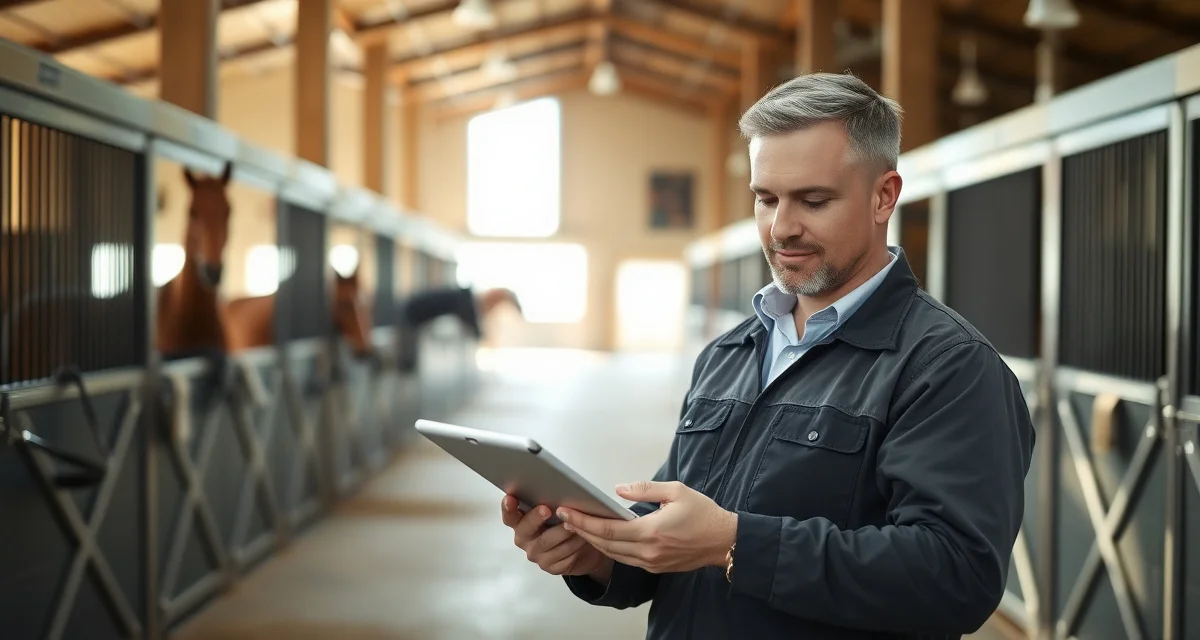
Digital Turnout Log for Horse Barn: Why Paper Fails
Paper turnout logs fail at the worst possible moment. A horse gets turned out with an incompatible paddock mate, a dispute erupts over missed turnout, and nobody can prove what actually happened. According to industry data, 72% of boarding disputes involve disagreements about turnout records, and in most of those cases, the barn's paper log is either incomplete, illegible, or missing entirely.
TL;DR
- Turnout scheduling requires written documentation of horse compatibility, paddock assignments, and rotation protocols.
- Horse-to-horse conflicts during turnout are one of the leading causes of injury at boarding facilities.
- Weather-based turnout adjustments need a clear protocol so different staff members make consistent decisions.
- Documenting turnout time per horse allows managers to identify horses that are consistently not getting adequate outdoor time.
- Paddock maintenance schedules tied to turnout logs prevent overuse of small areas and mud-related footing problems.
- BarnBeacon's turnout tracking tools record daily paddock assignments and flag conflicts in the rotation schedule.
A digital turnout log for horse barns solves this at the source. This guide walks you through how to set one up properly, what to track, and how to avoid the mistakes that make even digital systems fall apart.
Why Paper Turnout Logs Break Down
Paper works fine when one person manages six horses. It stops working the moment you have multiple staff, multiple shifts, and 20+ horses with different turnout requirements.
The core problems are predictable: staff write entries after the fact, handwriting is misread, pages get wet or torn, and there's no way to flag a conflict before it happens. If a horse is accidentally turned out with an incompatible paddock mate, you find out when someone gets kicked, not before.
Paper also creates liability gaps. If a horse owner asks for a 90-day turnout history, pulling that from a paper log takes hours and still leaves room for dispute.
What a Digital Turnout Log Should Actually Track
Before setting up any system, know what data points matter. A basic entry should capture:
- Horse name and ID
- Paddock or pasture assigned
- Date and time out
- Date and time in
- Staff member who logged the entry
- Compatibility flags for that paddock group
- Any notes (weather, behavior, health observations)
BarnBeacon logs every turnout entry and exit with staff ID, timestamp, and a compatibility check run against that horse's profile before the entry is confirmed. That last piece is what most equine turnout record keeping apps skip entirely.
How to Set Up a Digital Turnout Log: Step by Step
Step 1: Audit Your Current Turnout Data
Before migrating to any digital system, gather what you already have. Pull the last 60 days of paper logs and identify gaps. Note which horses have compatibility restrictions, which paddocks have capacity limits, and which staff members are responsible for which shifts.
This audit typically takes two to three hours for a barn of 20-30 horses. It's worth doing thoroughly because incomplete data at setup creates problems downstream.
Step 2: Build Your Horse and Paddock Profiles
Enter each horse with their full turnout profile: compatible horses, incompatible horses, preferred paddock, any medical restrictions (post-surgery, laminitis management, etc.), and turnout hours required per day.
Do the same for each paddock: square footage, max horse capacity, footing type, and any hazards or restrictions. This is the foundation that makes conflict alerts possible. Without accurate profiles, the system can't flag problems.
Step 3: Set Up Staff Accounts with Role-Based Access
Every staff member who logs turnout should have their own account. Shared logins defeat the purpose of an audit trail. Role-based access means barn managers can see everything, while grooms see only the horses assigned to their shift.
This matters for accountability. When a dispute arises, you need to know exactly who logged what and when, not just that "someone" made an entry at 7 a.m.
Step 4: Configure Turnout Rotation and Shift Handoffs
Set up your turnout rotation inside the system so each horse's schedule is visible to all staff before their shift starts. Staff should be able to see at a glance which horses are out, which are due to come in, and which haven't gone out yet.
Shift handoffs are where paper logs fail most often. A digital log with real-time status means the incoming shift doesn't need a verbal briefing to know what's been done. The data is already there.
Step 5: Train Staff on Entry Protocol
A digital system is only as good as the data entered into it. Set a clear protocol: log the horse out when they leave the barn aisle, not when you get back to the office. Log them in the moment they're back in their stall.
Run a 15-minute training session with each staff member. Walk through a sample entry, show them how compatibility alerts appear, and explain what to do if an alert fires. Most staff adapt within a week.
Step 6: Integrate with Your Daily Barn Checklist
Turnout logging shouldn't exist in isolation. Connect it to your barn daily checklist so turnout status feeds into the broader picture of each horse's daily care. If a horse hasn't been turned out by 10 a.m. and their schedule requires morning turnout, that should surface as an incomplete task, not a silent gap.
Integration also helps during vet or farrier visits. You can pull a horse's recent turnout history alongside feeding and health notes without hunting through separate records.
Step 7: Review the Audit Trail Weekly
Set aside 20 minutes each week to review the log. Look for patterns: horses consistently coming in late, paddocks being over-capacity, staff members skipping entries. Early detection of these patterns prevents bigger problems.
The audit trail is also your protection in boarding disputes. A timestamped, staff-attributed log is far harder to dispute than a handwritten entry.
Common Mistakes to Avoid
Logging after the fact. If staff log turnout at the end of a shift rather than in real time, timestamps become meaningless and conflict alerts can't fire when they're needed.
Skipping compatibility profiles. Setting up the system without entering compatibility data means you're using a digital log as a fancy spreadsheet. The conflict alert function only works if the profiles are complete and current.
Using shared logins. One login per staff member is non-negotiable. Shared accounts eliminate the audit trail and create exactly the accountability gap you're trying to close.
Ignoring alerts. If the system flags a compatibility issue and staff override it without documentation, you've created a liability record that works against you. Train staff that alerts require either a resolution or a documented override with a reason.
Not updating profiles after changes. A horse that was compatible with a paddock group in March may not be after a new horse joins the herd. Review and update compatibility profiles at least monthly.
How do I create a turnout rotation for 30+ horses?
Start by grouping horses by compatibility, then by turnout time requirements. Horses needing 6+ hours of daily turnout should anchor your morning slots. Build the rotation around paddock capacity first, then layer in individual preferences. A digital system lets you set the rotation once and adjust individual horses without rebuilding the whole schedule. For a detailed walkthrough, see the turnout rotation guide.
How do I track paddock assignments across shifts?
Real-time status is the only reliable method. Each paddock should show its current occupants, time they went out, and expected return time. Staff coming on shift should be able to see this on a phone or tablet without asking anyone. Systems that require manual shift reports or verbal handoffs will always have gaps. Assign paddocks to horses in the profile setup so the system defaults to the correct location and flags deviations.
What factors affect horse turnout compatibility?
Herd hierarchy is the primary factor, particularly with new horses entering an established group. Sex, age, and size matter but are secondary to individual temperament. Medical status is critical: a horse recovering from injury or on a restricted diet cannot be turned out with horses on pasture. Seasonal changes in herd dynamics, especially during breeding season, can shift compatibility that was stable for months. Review compatibility profiles whenever a new horse arrives, a horse returns from time away, or you observe a change in herd behavior.
How do I handle turnout for horses that do not get along?
Horse compatibility for turnout should be assessed during the first week and documented in the horse's care record before the first group turnout. Incompatible horses need paddock assignments that account for fence line contact, not just separation. When a new horse arrives, introduce it to the paddock individually before group turnout and observe the first few sessions. Documenting observed incompatibilities protects the facility when an injury occurs and ensures any staff covering the shift knows which horses cannot be turned out together.
What is the minimum daily turnout time most horses need?
Most horses benefit from at least 4 to 6 hours of daily turnout for physical and mental health. Horses confined to stalls with less turnout show higher rates of stress-related behaviors and digestive issues. The appropriate minimum varies by the horse's work level, age, and any health conditions. Horses on stall rest for injury are an exception, but even those often benefit from controlled hand-walking or small paddock time once a vet approves it. Logging actual turnout time per horse makes it easy to identify horses that are consistently getting less than intended.
How do I manage turnout during extreme weather?
Extreme weather decisions should follow a written protocol that specifies at what temperatures, precipitation types, or footing conditions turnout is modified or cancelled. Staff making individual judgment calls on extreme weather, especially during shift coverage, leads to inconsistency and liability if a horse is injured. A written threshold policy reviewed with all staff, combined with documented actual turnout decisions, protects the facility and ensures horses receive consistent care regardless of who is on duty.
Related Articles
FAQ
What is Digital Turnout Log for Horse Barn: Why Paper Fails?
A digital turnout log for horse barns is a software-based system that replaces paper records for tracking daily paddock assignments, horse compatibility, rotation schedules, and turnout duration. Unlike paper logs that go missing or become illegible, digital logs are timestamped, searchable, and accessible to all staff in real time. Tools like BarnBeacon automatically flag scheduling conflicts and maintain a complete audit trail — critical when disputes arise between boarders or when an incident requires documentation.
How much does Digital Turnout Log for Horse Barn: Why Paper Fails cost?
Most digital turnout tracking is included within broader barn management platforms. BarnBeacon offers turnout logging as part of its facility management suite, with pricing typically structured per-barn or per-horse on a monthly subscription. Compared to the cost of a single boarding dispute, veterinary visit from a compatibility incident, or legal claim, the investment is minimal. Many barns recover the cost quickly through reduced staff time spent searching for records and resolving preventable conflicts.
How does Digital Turnout Log for Horse Barn: Why Paper Fails work?
Digital turnout logs work by letting staff record each horse's daily paddock assignment, turnout start and end times, companions, and any observations — all from a phone or tablet. The system stores every entry with a timestamp and staff name. Compatibility rules set in advance automatically alert staff before a conflict happens. Managers can view turnout history by horse, paddock, or date, and generate reports for boarders or insurance purposes without sorting through paper binders.
What are the benefits of Digital Turnout Log for Horse Barn: Why Paper Fails?
Key benefits include eliminating illegible or missing records, providing timestamped proof of turnout for boarder disputes, flagging incompatible horse pairings before injuries occur, ensuring consistent weather-protocol decisions across all staff, and tracking cumulative turnout time per horse so no animal is consistently shortchanged. Paddock maintenance scheduling tied to turnout data also prevents overuse and mud problems. Collectively these benefits reduce liability exposure and improve horse welfare outcomes across the whole facility.
Who needs Digital Turnout Log for Horse Barn: Why Paper Fails?
Any boarding barn, training facility, or equine rescue with more than a handful of horses benefits from digital turnout logs. Operations with multiple staff members or shift changes are especially vulnerable to paper log failures — information doesn't transfer reliably between people. Facilities that board multiple owners' horses face the highest dispute risk and need the clearest documentation. Even small private barns benefit when managing horses with known compatibility issues or complex rotation schedules.
How long does Digital Turnout Log for Horse Barn: Why Paper Fails take?
Setting up a digital turnout log takes most barns one to two hours — entering horses, assigning paddocks, and configuring compatibility rules. Daily use adds under two minutes per turnout session. Staff adoption is typically fast because mobile entry is simpler than locating and updating a physical binder. The time savings compound quickly: retrieving a specific turnout record that once took ten minutes of searching takes seconds in a digital system.
What should I look for when choosing Digital Turnout Log for Horse Barn: Why Paper Fails?
Look for a system with timestamped entries, staff attribution, horse compatibility flagging, and paddock capacity management. Weather protocol prompts and customizable turnout checklists reduce decision inconsistency across staff. Mobile-first design matters — staff won't use a desktop-only tool from the barn aisle. Audit-ready export for reports and dispute documentation is essential. BarnBeacon includes all of these features in a purpose-built equine facility platform rather than a generic scheduling tool adapted for horse care.
Is Digital Turnout Log for Horse Barn: Why Paper Fails worth it?
Yes. The 72% rate of boarding disputes tied to turnout records means most barns will face a situation where accurate documentation is critical. A single unresolved dispute can cost a boarding client and damage the barn's reputation. Beyond disputes, preventing one compatibility-related injury through proactive conflict flagging more than justifies the cost. Digital turnout logs pay for themselves in staff time savings, liability reduction, and improved horse welfare — outcomes that matter regardless of barn size.
Sources
- American Association of Equine Practitioners (AAEP), equine welfare and management guidelines
- University of Minnesota Extension Horse Program, horse housing and turnout management resources
- Rutgers Equine Science Center, equine pasture and turnout management guidance
- American Horse Council, equine industry welfare standards
Get Started with BarnBeacon
BarnBeacon's turnout tracking tools log daily paddock assignments, surface scheduling conflicts, and give every staff member on any shift access to the current rotation plan. Start a free 30-day trial to see how it fits your facility's turnout protocols.