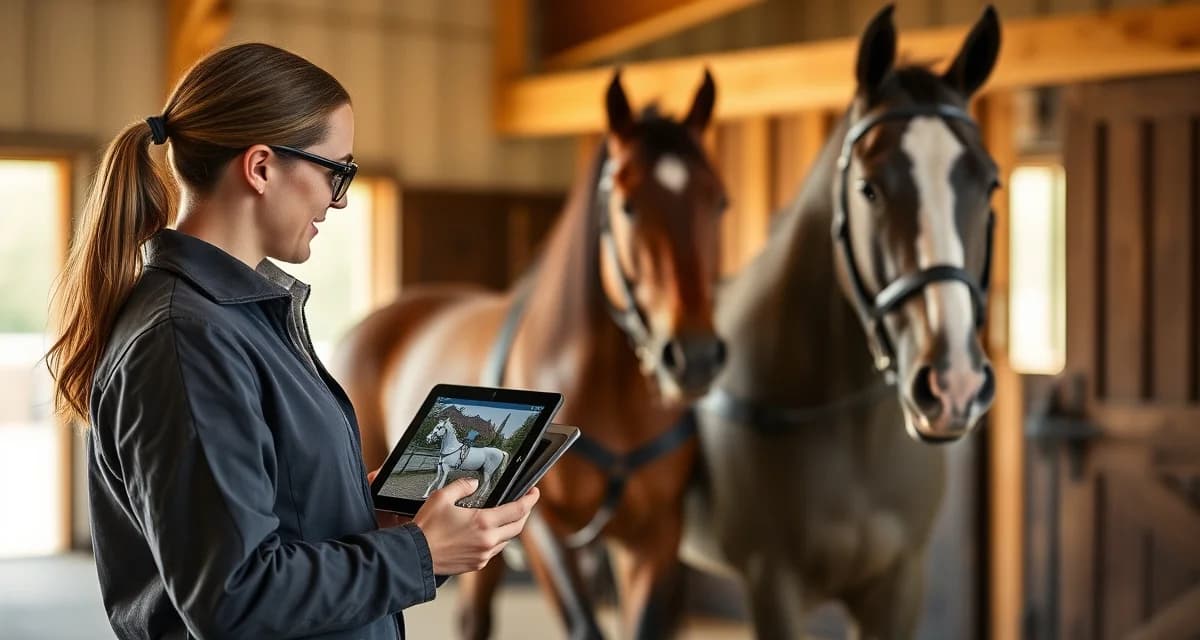
Combined Driving Barn Owner Communication: Updates and Photos
Combined driving is not a discipline you can manage with a generic barn software template. Owners of carriage horses have specific questions that dressage or hunter/jumper barn managers rarely encounter: How is the horse moving in harness? Did the marathon conditioning session go well? Is the vehicle fit still correct after last week's competition?
TL;DR
- owner communication is the top factor in boarding client retention, ranked above facility quality and pricing in surveys
- Structured daily updates take under 30 seconds to log when built into care workflows and deliver outsized retention value
- Health alerts sent within 30 minutes of an event, with a documented response timeline, build owner confidence
- Billing transparency, specifically itemized invoices and pre-approval for large expenses, prevents most financial disputes
- An owner communication portal gives clients a single place to check updates and reduces inbound call volume significantly
- Written onboarding communication expectations reset habits from a boarder's previous barn and prevent early misunderstandings
Getting combined-driving barn owner communication right means understanding what these owners actually need to know, then building a system that delivers it consistently.
The Problem With Generic Barn Communication Tools
Most barn management platforms were built around stall board, feeding schedules, and vet records. That covers about 40% of what a combined driving owner wants to track. The rest, including harness fit checks, marathon fitness logs, obstacle schooling notes, and vehicle maintenance tied to a specific horse, gets handled through text threads, email chains, and memory.
That patchwork approach breaks down fast, especially when you manage horses for multiple owners across dressage, marathon, and cones phases of competition.
What Combined Driving Owners Actually Want to Know
Before building any communication system, get clear on the information these owners prioritize.
Conditioning and fitness progress is the top concern for most combined driving owners. Marathon phases are physically demanding, and owners who are not on-site daily want confirmation that conditioning is progressing on schedule without overwork.
Harness and vehicle fit updates matter more in this discipline than almost any other. A poorly fitted collar or a vehicle that has shifted in balance affects performance and soundness. Owners want to know when checks happen and what was adjusted.
Obstacle schooling notes are discipline-specific. Owners want to know which obstacles the horse is confident through, where hesitation showed up, and what the schooling plan looks like going forward.
Photo and video updates carry extra weight in combined driving because so much of the work happens in harness, away from the arena. A short clip of a horse working through a water complex tells an owner more than three paragraphs of text.
Step-by-Step: Building a Combined Driving Owner Communication System
Step 1: Segment Your Update Types
Not every update needs the same delivery method or frequency. Start by sorting your communication into three categories.
Daily quick updates cover feeding, turnout, and any immediate health observations. These can be brief, even a single sentence, but they need to happen consistently.
Weekly training summaries are where combined driving specifics belong. This is where you document harness work, conditioning sessions, and obstacle schooling with enough detail to be useful.
Event and competition reports are longer, structured updates tied to a specific show or trial. These should include phase-by-phase notes, scores if available, and a clear next-steps section.
Step 2: Create Discipline-Specific Templates
Generic "training update" templates do not work for combined driving. Build separate templates for each update type.
For weekly summaries, include fields for: harness condition check (yes/no plus notes), conditioning session type and duration, obstacle work completed, any lameness or behavioral observations, and next week's plan. This structure takes five minutes to fill out and gives owners exactly what they need.
For marathon conditioning logs, track distance, terrain type, pace, and recovery observations. Owners who are serious about competition want this data over time, not just a one-line note.
Step 3: Add Photos and Video to Every Weekly Update
This is the step most barn managers skip because it feels time-consuming. It does not have to be. One photo of the horse in harness and a 30-second clip of a schooling moment takes under two minutes to capture during a session.
For combined driving owners specifically, visual updates reduce anxiety and build trust faster than any written description. A horse that looks relaxed and forward in harness communicates more than a paragraph about how well the session went.
Step 4: Choose a Delivery Platform That Fits the Workflow
Email works, but it creates inbox clutter and makes it hard for owners to find past updates. Text threads are worse for anything longer than a quick note.
An owner communication portal purpose-built for barn management keeps all updates, photos, and documents in one place that owners can access anytime. Look for a platform that lets you attach photos and video directly to training logs, not just send them as separate files.
BarnBeacon's owner portal is built to handle the reporting patterns that combined driving barns actually use, including harness logs, conditioning tracking, and phase-specific competition notes. It adapts to the workflow instead of forcing you to adapt to a generic template.
Step 5: Set Clear Communication Expectations With Owners at Intake
The best system fails if owners do not know what to expect. At intake, give every owner a one-page communication guide that covers: how often they will receive updates, what each update type includes, how to reach you for urgent questions, and your response time for non-urgent messages.
This single step eliminates most of the "I haven't heard anything" complaints that drain barn manager time.
Step 6: Build a Photo Archive Organized by Horse
Over a competition season, you will accumulate dozens of photos and clips per horse. Organize them from the start. A simple folder structure by horse name and month works, but a platform that ties media directly to a horse's profile is significantly faster to search.
When an owner asks "how has his way of going changed since we adjusted the collar in March?" you want to pull up a visual answer in 30 seconds, not dig through a shared Google Drive.
Common Mistakes in Combined Driving Owner Communication
Sending updates only when something goes wrong. Owners who only hear from you when there is a problem start to associate your messages with bad news. Regular positive updates build the relationship that makes difficult conversations easier.
Using jargon without explanation. Not every combined driving owner is a technical expert. When you note that a horse was "strong in the traces on the back half of the marathon loop," add a brief explanation of what that means for training going forward.
Skipping updates during busy competition periods. This is exactly when owners most want to hear from you. Build competition reporting into your workflow before the season starts, not as an afterthought.
Treating all owners the same. Some owners want daily contact. Others prefer a weekly digest. Ask at intake and document the preference. A good combined driving barn operations system includes owner communication preferences as part of the intake record.
How do I communicate with combined driving horse owners?
Use a structured system that separates daily quick updates, weekly training summaries, and competition reports. Combined driving owners have discipline-specific information needs around harness fit, conditioning, and obstacle schooling that generic barn communication tools do not address. A dedicated owner portal keeps all updates, photos, and documents organized and accessible.
What do combined driving owners want to know about their horses?
Combined driving owners prioritize conditioning and fitness progress, harness and vehicle fit checks, obstacle schooling notes, and visual updates showing the horse working in harness. They also want phase-specific competition reports covering dressage, marathon, and cones performance. The more specific and consistent your updates, the more confidence owners have in your management.
What owner portal features matter for combined driving barns?
Look for a portal that supports photo and video attachments tied directly to training logs, discipline-specific fields for harness and conditioning tracking, and a searchable history of updates by horse. The ability to customize update templates for combined driving workflows, rather than using a one-size-fits-all format, is the feature that separates purpose-built tools from generic barn software.
How does BarnBeacon compare to spreadsheets for barn management?
Spreadsheets require manual updates, lack real-time notifications, and create version control problems when multiple staff members are working from different files. BarnBeacon centralizes records, pushes alerts automatically based on logged events, and connects care records to billing and owner communication in one system. Most facilities report saving several hours per week after switching from spreadsheets.
What is the setup process like for BarnBeacon?
Most facilities complete the initial setup in under a week. Horse profiles, service templates, and billing configurations can be imported from existing records or entered directly. BarnBeacon's US-based support team is available to assist with setup, and most managers are running their first billing cycle through the platform within days of starting.
Can BarnBeacon support a barn with multiple staff members?
Yes. BarnBeacon supports multiple user accounts with role-based access, so barn managers, barn staff, and owners each see the information relevant to their role. Task assignments, completion logs, and communication history are all attached to the barn's account rather than to individual staff phones or email addresses.
FAQ
What is Combined Driving Barn Owner Communication: Updates and Photos?
Combined driving barn owner communication refers to the structured system barn managers use to keep carriage horse owners informed about their horses' daily care, training progress, health status, and competition preparation. Unlike general equine communication, it addresses discipline-specific concerns such as harness movement, marathon conditioning sessions, and vehicle fit checks. Updates typically include written notes, photos, and health alerts delivered through a dedicated owner portal or app.
How much does Combined Driving Barn Owner Communication: Updates and Photos cost?
The cost of a structured owner communication system varies depending on the platform you choose. Dedicated barn management software with owner portals typically ranges from $50 to $200 per month depending on barn size and features. However, the return on investment is significant: improved client retention reduces the cost of finding new boarders, which commonly exceeds several months of boarding revenue per lost client.
How does Combined Driving Barn Owner Communication: Updates and Photos work?
A combined driving communication system works by integrating update logging into daily care routines. Barn staff record observations, harness checks, conditioning session notes, and feeding updates directly in a mobile app or software portal. Owners receive real-time notifications, can view photos, and access health alerts. Billing summaries and expense pre-approvals are also managed through the same platform, creating one centralized communication hub.
What are the benefits of Combined Driving Barn Owner Communication: Updates and Photos?
The core benefits include stronger owner retention, fewer inbound calls and texts, faster response to health concerns, and reduced billing disputes. For combined driving specifically, owners gain visibility into harness fit, marathon workouts, and competition readiness that generic updates miss. Barn managers benefit from a documented communication trail that protects them professionally and demonstrates the quality of care they provide.
Who needs Combined Driving Barn Owner Communication: Updates and Photos?
Any barn manager boarding carriage or combined driving horses benefits from a structured communication system. It is especially valuable for facilities that host competition horses, where owners need frequent updates on conditioning and vehicle fit. It also suits barn managers transitioning clients from less communication-focused barns, helping reset expectations early and establish professional standards from the first day of boarding.
How long does Combined Driving Barn Owner Communication: Updates and Photos take?
Logging a structured daily update takes under 30 seconds when the process is built into existing care workflows. A brief note, one or two photos, and a health status check can be submitted in a single mobile form while staff are still in the barn. Health alerts should be sent within 30 minutes of any incident. Initial system setup and onboarding documentation typically requires a few hours of upfront effort.
What should I look for when choosing Combined Driving Barn Owner Communication: Updates and Photos?
Look for a platform designed for equine facilities rather than generic farm or livestock software. Key features include photo sharing, health alert notifications, itemized billing with approval workflows, and a client-facing portal. For combined driving barns specifically, ensure the system supports custom update fields so you can log harness checks, conditioning metrics, and competition notes without forcing that information into mismatched templates.
Is Combined Driving Barn Owner Communication: Updates and Photos worth it?
Yes, for combined driving barns it is clearly worth it. Owner communication is the top factor in boarding client retention, ranking above facility quality and pricing in industry surveys. A single retained boarder typically generates more annual revenue than the annual cost of a communication platform. The discipline-specific visibility it provides around harness work, vehicle fit, and conditioning builds the trust that keeps competitive carriage horse owners loyal long term.
Sources
- American Association of Equine Practitioners (AAEP)
- United States Equestrian Federation (USEF)
- American Driving Society (ADS)
- American Horse Council
- Kentucky Equine Research
Get Started with BarnBeacon
Owner communication that runs on group texts and personal phones is a system waiting to break. BarnBeacon gives combined driving barns the structure to deliver consistent, horse-specific updates automatically, keep health alerts separate from routine notices, and give owners portal access to their horse's complete history. Start a free trial and see what your communication looks like when it runs through a system built for it.