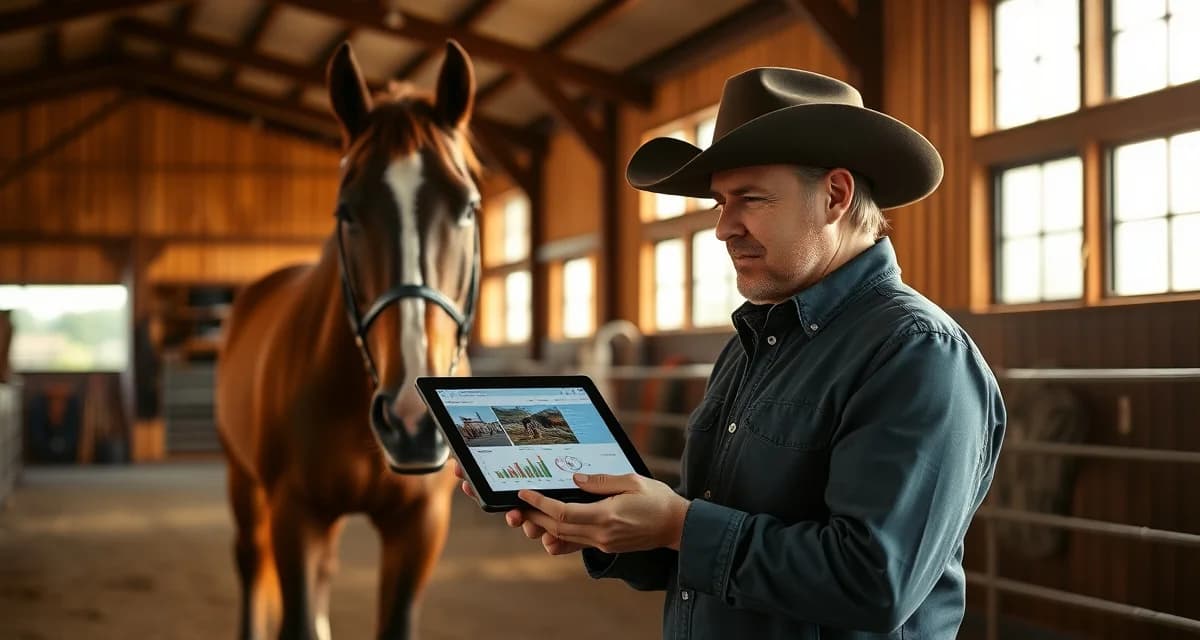
Reining Barn Owner Communication: Updates and Updates
Reining barn owner communication is a different animal compared to general boarding or hunter/jumper operations. Owners in this discipline are tracking scores, NRHA points, futurity eligibility, and training progression on horses that can be worth six figures or more. Generic barn software wasn't built for that conversation.
TL;DR
- Owner communication is the top factor in boarding client retention, ranked above facility quality and pricing in surveys
- Structured daily updates take under 30 seconds to log when built into care workflows and deliver outsized retention value
- Health alerts sent within 30 minutes of an event, with a documented response timeline, build owner confidence
- Billing transparency, specifically itemized invoices and pre-approval for large expenses, prevents most financial disputes
- An owner communication portal gives clients a single place to check updates and reduces inbound call volume significantly
- Written onboarding communication expectations reset habits from a boarder's previous barn and prevent early misunderstandings
Most barn management platforms treat all disciplines the same. Reining barns need tools that match how their owners actually think.
The Problem With Generic Owner Updates
A boarding barn owner might want to know if their horse ate well and got turnout. A reining owner wants to know how their horse handled the spins today, whether the stops are getting deeper, and what the trainer thinks about the upcoming futurity entry deadline.
That gap in specificity creates friction. When owners don't get the information they care about, they call. They text. They show up unannounced. For a trainer managing 20 horses in active competition prep, that's a serious time drain.
Reining disciplines have unique owner communication patterns not covered by generic barn software, which is exactly why discipline-specific workflows matter. The fix isn't just sending more updates. It's sending the right updates in a format that matches what reining owners actually need to see.
Step-by-Step: Building a Reining Owner Communication System
Step 1: Segment Your Owners by Horse Status
Not every owner needs the same cadence. A horse in futurity prep needs weekly updates at minimum. A horse in light maintenance work might need bi-weekly check-ins.
Create three categories: active competition horses, horses in training, and horses on rest or rehab. Each group gets a different update template and frequency. This prevents over-communicating to some owners while under-communicating to others.
Step 2: Define What Reining-Specific Updates Look Like
A reining update should cover more than health and feeding. Build a standard template that includes:
- Training focus for the week (e.g., lead departures, rundowns, circle work)
- Pattern work notes (which NRHA patterns were practiced, how the horse responded)
- Physical condition notes (hocks, back, feet, any soreness flags)
- Competition prep status (entry deadlines, class selection, travel logistics)
- Video or photo from the session
That last item matters more than most trainers realize. Reining owners who can see a stop or a spin are far less likely to call asking how things are going.
Step 3: Set Up a Centralized Owner Portal
Email threads and text chains don't scale. When you have 15 to 25 horses in training, you need a single place where owners can log in and see their horse's history, upcoming events, and invoices.
An owner communication portal built for equine operations lets you push updates, attach videos, and keep a running log that owners can reference anytime. This also protects you. If an owner later disputes a training decision, you have a documented record of every update you sent.
Look for a portal that lets you customize update fields by discipline. A reining barn shouldn't be filling out fields designed for dressage or barrel racing.
Step 4: Build a Weekly Update Rhythm
Pick one day per week as your update day. Friday works well for many reining trainers because it gives owners something to read over the weekend and sets expectations for the week ahead.
Batch your updates in one sitting. If you're using a portal with templates, this should take 20 to 30 minutes for a full barn. Write notes as you go through the week in a simple app or voice memo, then compile on update day. Don't try to write updates from memory.
Step 5: Use Photos and Short Videos Strategically
A 30-second clip of a horse's stop progression is worth more than three paragraphs of description. Reining owners are visual, and most of them have enough knowledge to evaluate what they're seeing.
You don't need professional production. A phone mounted on the arena fence during a training session gives you usable footage. Clip the best 20 to 30 seconds, attach it to the update, and let the horse do the talking.
For horses in futurity prep, consider a monthly "progress video" that shows a full pattern run. This gives owners a benchmark they can compare over time.
Step 6: Handle Competition Results Immediately
Don't wait for the weekly update cycle after a show. Send competition results the same day, including the score, placing, judge's name, and any notes from the trainer on how the horse performed.
Reining owners track NRHA points closely. If your horse earns points at a show, that's news. Send it within a few hours of the run. A quick portal message or push notification keeps owners engaged and builds trust.
Step 7: Create a Protocol for Problem Communication
Bad news needs its own process. If a horse comes up lame, has a vet call, or has a training setback, don't bury it in the weekly update. Call first, then follow up in writing through the portal.
Document everything. The date you noticed the issue, who you called, what the vet said, and what the plan is. Owners who feel informed during a problem are far more likely to stay with your program long-term.
Common Mistakes Reining Barns Make With Owner Communication
Sending updates that are too vague. "Had a good week" tells an owner nothing. Be specific about what the horse worked on and how it responded.
Mixing billing and training updates. Keep invoices separate from training notes. When an owner opens an update and sees a bill, the training content gets ignored.
Skipping updates when things are slow. A horse on a light week still needs a check-in. Silence makes owners anxious. A short "maintenance week, horse is fresh and sound" message takes two minutes and prevents three phone calls.
Not using video. If you're running a reining program and not sending video, you're leaving your best communication tool on the table.
Using platforms not built for equine operations. Generic project management tools and email newsletters don't give you the horse-specific fields, billing integration, or update history that a proper reining barn operations platform provides.
What to Look for in Barn Communication Software
Reining barns need software that handles discipline-specific update fields, not just generic notes. Look for platforms that let you log pattern work, attach media, track competition results by horse, and send updates to individual owners or groups.
BarnBeacon's owner portal adapts to reining barn workflows specifically. You can customize update templates for futurity horses versus open horses, log NRHA show results directly in the horse's profile, and give owners a clean dashboard that shows their horse's full history without requiring you to manage a separate spreadsheet.
The reining horse barn updates that matter most to owners, including training notes, competition results, and vet records, all live in one place. Owners get access on their schedule. You stop fielding calls during training sessions.
How does BarnBeacon compare to spreadsheets for barn management?
Spreadsheets require manual updates, lack real-time notifications, and create version control problems when multiple staff members are working from different files. BarnBeacon centralizes records, pushes alerts automatically based on logged events, and connects care records to billing and owner communication in one system. Most facilities report saving several hours per week after switching from spreadsheets.
What is the setup process like for BarnBeacon?
Most facilities complete the initial setup in under a week. Horse profiles, service templates, and billing configurations can be imported from existing records or entered directly. BarnBeacon's US-based support team is available to assist with setup, and most managers are running their first billing cycle through the platform within days of starting.
Can BarnBeacon support a barn with multiple staff members?
Yes. BarnBeacon supports multiple user accounts with role-based access, so barn managers, barn staff, and owners each see the information relevant to their role. Task assignments, completion logs, and communication history are all attached to the barn's account rather than to individual staff phones or email addresses.
Related Articles
FAQ
What is Reining Barn Owner Communication: Updates and Updates?
Reining Barn Owner Communication refers to the structured systems and tools reining barn managers use to keep horse owners informed about their horses' training progress, health events, NRHA points, futurity eligibility, and daily care. Unlike general boarding communication, it addresses the specific needs of reining discipline owners who are tracking performance metrics and managing horses with significant financial value. Effective communication in this context goes beyond basic check-ins and requires discipline-specific updates delivered consistently through a dedicated portal or app.
How much does Reining Barn Owner Communication: Updates and Updates cost?
The cost of implementing a structured owner communication system for a reining barn varies based on the platform chosen. Most barn management software with owner portals ranges from $50 to $200 per month depending on horse count and features. Some platforms charge per-user fees for owner access. When evaluating cost, factor in the retention value: keeping one boarding client who might otherwise leave due to poor communication easily outweighs a full year of software subscription fees.
How does Reining Barn Owner Communication: Updates and Updates work?
Reining barn owner communication works by integrating structured update logging into daily care workflows. Staff log brief notes on training sessions, health observations, feeding, and turnout — typically in under 30 seconds per horse. Owners receive updates through a dedicated portal or app, with automatic alerts for health events. Billing is delivered as itemized invoices with pre-approval workflows for larger expenses. The result is a documented, transparent record that owners can access anytime without calling the barn.
What are the benefits of Reining Barn Owner Communication: Updates and Updates?
The core benefits include improved client retention, fewer inbound calls, reduced billing disputes, and stronger owner confidence during health events. Research cited in barn management surveys consistently ranks communication above facility quality and pricing as the top retention factor. Structured updates also create a documented training and health history that supports horse valuations, insurance claims, and futurity eligibility tracking — all areas where reining owners have specific, ongoing needs that generic communication systems fail to address.
Who needs Reining Barn Owner Communication: Updates and Updates?
Any professional reining barn taking on outside boarding clients needs structured owner communication systems. This is especially true for operations managing horses that compete at NRHA-sanctioned events, horses in futurity preparation, or horses valued at five to six figures. Trainers who rely on word-of-mouth referrals benefit most, since satisfied owners who receive consistent, professional updates actively recommend barns to other reining clients. New boarding clients transitioning from other disciplines also benefit from written communication expectations set during onboarding.
How long does Reining Barn Owner Communication: Updates and Updates take?
Building structured owner communication into daily barn workflows typically takes less than 30 seconds per horse per update when the system is properly designed. Initial setup of a communication portal or barn management platform takes a few hours to configure. Onboarding new clients with written communication expectations takes 15 to 30 minutes per owner. Health event alerts should be sent within 30 minutes of the incident. The time investment is minimal relative to the retention and trust outcomes it produces.
What should I look for when choosing Reining Barn Owner Communication: Updates and Updates?
When evaluating owner communication tools for a reining barn, look for discipline-specific features including NRHA point tracking, futurity eligibility fields, and training milestone logging. Prioritize platforms with a dedicated owner-facing portal, automated health alert workflows, itemized billing with expense pre-approval, and photo or video update capabilities. Ease of use for barn staff matters as much as the owner experience — if logging updates is cumbersome, staff will skip it. Also confirm whether the platform supports multi-horse households, which is common among serious reining clients.
Is Reining Barn Owner Communication: Updates and Updates worth it?
Yes, for any reining barn with boarding clients, structured owner communication is worth the investment. Owner communication consistently ranks as the top factor in boarding retention above pricing and facility quality. A system that delivers daily updates, timely health alerts, and transparent billing prevents the misunderstandings and frustration that drive boarders to other barns. For operations managing high-value competition horses, the documentation alone — training logs, vet response timelines, expense records — justifies the cost and positions the barn as a professional, trustworthy operation.
Sources
- American Association of Equine Practitioners (AAEP)
- National Reining Horse Association (NRHA)
- United States Equestrian Federation (USEF)
- Women's Professional Rodeo Association (WPRA)
- American Horse Council
Get Started with BarnBeacon
Owner communication that runs on group texts and personal phones is a system waiting to break. BarnBeacon gives reining facilities the structure to deliver consistent, horse-specific updates automatically, keep health alerts separate from routine notices, and give owners portal access to their horse's complete history. Start a free trial and see what your communication looks like when it runs through a system built for it.