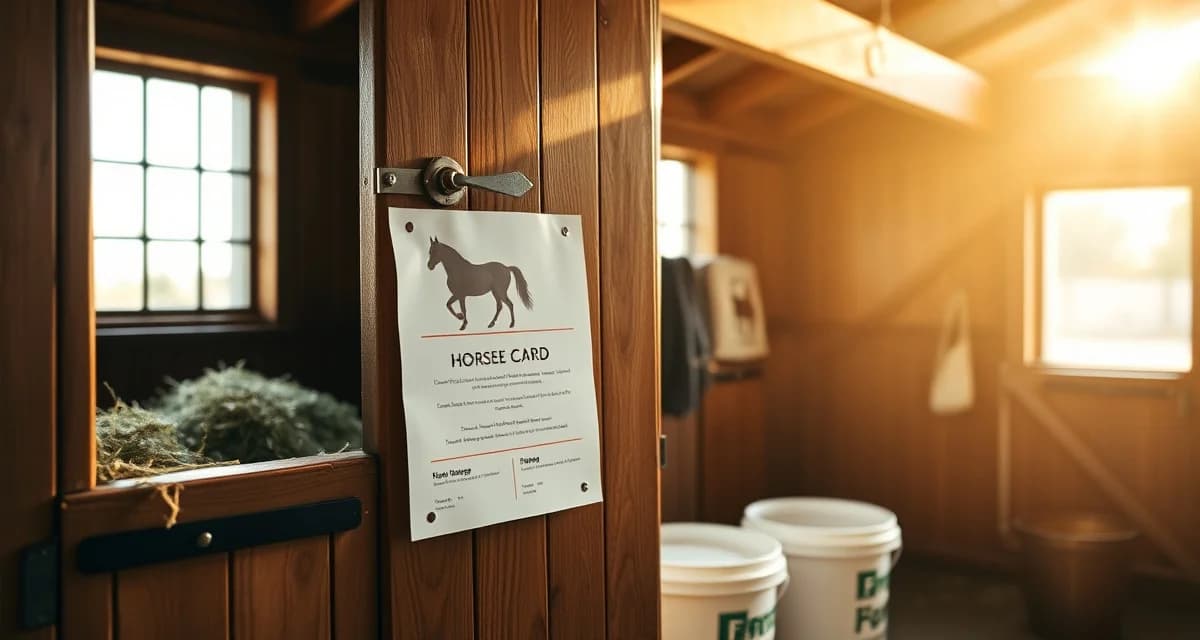
Horse Feed Card Template: Free Printable and Digital
Feed errors are the second leading cause of preventable colic, according to AAEP 2023 data. A missing supplement, a doubled grain ration, or a staff member following last week's instructions can put a horse in serious danger. A clear, current horse feed card template is one of the simplest ways to close that gap.
TL;DR
- Effective barn management requires systems that match actual daily workflows, not adapted generic tools
- Per-horse record keeping with digital access reduces the response time to owner questions from hours to seconds
- Automated owner communication and health alerts reduce inbound calls while increasing owner satisfaction and retention
- Billing errors cost barns thousands of dollars annually; point-of-service charge logging is the most effective prevention
- Staff accountability systems with named task assignments and completion logs prevent care gaps without micromanagement
- Purpose-built equine software connects health records, billing, and owner communication in one place
This page covers what a feed card needs to include, how to use the free printable version, and how digital feed cards solve the problems that paper and spreadsheets can't.
Why Feed Cards Fail in Most Barns
Paper cards get wet, torn, or ignored. Spreadsheets sit on someone's laptop and never make it to the feed room. Neither one alerts staff when a vet has called in a diet change or an owner has updated a supplement order.
The result: the morning crew feeds last Tuesday's instructions while the evening crew works from a text message screenshot. Neither version is authoritative, and no one knows which one is current.
What Should a Horse Feed Card Include?
A complete feed card covers every variable a staff member needs to feed a horse correctly, without asking anyone a question.
Basic Identification
- Horse name, stall number, and owner name
- Any aliases the horse goes by in the barn
- Photo (especially useful in large facilities with multiple similar-looking horses)
Hay and Forage
- Type of hay (timothy, orchard, alfalfa, mixed)
- Quantity per feeding (flakes or pounds)
- Number of feedings per day
- Any soaking or steaming requirements
Grain and Hard Feed
- Feed brand and product name
- Scoop size or weight per meal
- Number of meals per day
- Any mixing instructions (wet, dry, with oil)
Supplements
- Each supplement listed by name
- Dose per feeding
- Which meals it's added to
- Storage location if refrigerated
Water and Electrolytes
- Any water restrictions (post-surgery, choke history)
- Electrolyte additions and dose
- Bucket vs. automatic waterer preference
Medical and Dietary Flags
- Metabolic conditions (EMS, PPID, laminitis history)
- Allergies or intolerances
- Vet-ordered diet restrictions
- Link to or reference of current medication tracking records
Owner Instructions
- Owner-specific preferences or feeding notes
- Contact name if staff have questions
- Date of last update and who approved the change
Free Printable Horse Feed Card Template
The printable version below works for barns that prefer physical cards posted at each stall. Print on cardstock, laminate if possible, and use a dry-erase marker for fields that change frequently (grain amounts, supplement doses).
Download: Horse Feed Card Template (PDF)
Each card includes all sections listed above, formatted to fit a standard 4x6 or 8.5x11 sheet. Fields are clearly labeled so any staff member, including new hires, can read and follow them without interpretation.
For barns managing structured feeding schedules across multiple horses, print one card per horse and store duplicates in a binder at the feed room.
How to Use the Digital Feed Card
Printable cards have a hard limit: they're only as current as the last time someone updated them. If a vet calls on a Tuesday afternoon and changes a horse's grain ration, that change needs to reach every person feeding that horse before the next meal.
BarnBeacon generates individual digital feed cards for each horse, visible to all staff on mobile in real time. When a feed change is saved, every card updates instantly. No reprinting, no group texts, no hoping the night crew checks the whiteboard.
Step 1: Add Each Horse to Your Barn Profile
Enter the horse's name, stall, and owner. Upload a photo if you want visual confirmation at feeding time.
Step 2: Build the Feed Card
Fill in hay, grain, supplements, and water notes using the structured fields. Add any medical flags or dietary restrictions. Set the number of daily feedings.
Step 3: Assign Feeding Windows
Set morning, midday, and evening feeding windows. Staff see which horses are due and in what order, based on stall location.
Step 4: Publish to Staff
Once a card is saved, it's live. Staff open the app, see their assigned horses, and follow the current card. No version confusion.
Step 5: Update in Real Time
When a vet, owner, or barn manager changes a feed instruction, update the card. The change appears immediately for everyone on shift. No reprinting required.
When Spreadsheets and Paper Fall Short
Spreadsheets require someone to open, edit, save, and share a file every time something changes. In a busy barn, that step gets skipped. The result is a document that's accurate once a week at best.
Paper cards have the same problem, plus they can't be accessed from the feed room aisle on a phone. Some tools require manual updates pushed to staff, which creates the same lag as a spreadsheet.
A digital feed card that updates in real time and lives on every staff member's phone removes the update bottleneck entirely.
How do I manage feeding schedules for 30+ horses?
At 30+ horses, the biggest risk is version drift: different staff working from different information. The most reliable system assigns each horse a single authoritative feed card, accessible to all staff from one place. Digital cards that update in real time eliminate the need to reprint or redistribute instructions every time something changes. Pair this with structured feeding schedules that sequence horses by stall location to reduce walk time and missed feedings.
What should a horse feed card include?
A complete horse feed card should include the horse's name, stall number, and owner contact; hay type and quantity per feeding; grain brand, amount, and meal frequency; each supplement with dose and timing; water notes or restrictions; medical diet flags; and the date the card was last updated. Owner-specific instructions and a photo of the horse are useful additions in larger facilities where staff turnover is common.
How do I handle owner-requested feed changes across a whole barn?
Owner feed changes are one of the most common sources of feeding errors because they often come in through text, phone call, or email and never make it to the person actually feeding the horse. The cleanest solution is a system where any authorized person (owner, vet, or manager) can update a feed card directly, and that update is immediately visible to all staff. If you're using paper or a spreadsheet, build a written change-request process: changes must be submitted in writing, confirmed by the barn manager, and physically updated on the stall card before the next feeding.
How does BarnBeacon compare to spreadsheets for barn management?
Spreadsheets require manual updates, lack real-time notifications, and create version control problems when multiple staff members are working from different files. BarnBeacon centralizes records, pushes alerts automatically based on logged events, and connects care records to billing and owner communication in one system. Most facilities report saving several hours per week after switching from spreadsheets.
What is the setup process like for BarnBeacon?
Most facilities complete the initial setup in under a week. Horse profiles, service templates, and billing configurations can be imported from existing records or entered directly. BarnBeacon's US-based support team is available to assist with setup, and most managers are running their first billing cycle through the platform within days of starting.
Can BarnBeacon support a barn with multiple staff members?
Yes. BarnBeacon supports multiple user accounts with role-based access, so barn managers, barn staff, and owners each see the information relevant to their role. Task assignments, completion logs, and communication history are all attached to the barn's account rather than to individual staff phones or email addresses.
FAQ
What is Horse Feed Card Template: Free Printable and Digital?
A horse feed card template is a structured document that records each horse's daily feeding instructions, including hay type and quantity, grain rations, supplements, and any dietary restrictions. It serves as a reference for barn staff to ensure consistent, accurate feeding regardless of who is on duty. Templates come in printable paper formats for stall doors or tack rooms, and digital versions that update in real time across devices.
How much does Horse Feed Card Template: Free Printable and Digital cost?
The printable horse feed card template on BarnBeacon is completely free to download and use. Digital feed card systems offered through equine management software typically range from free basic tiers to paid plans starting around $30–$100 per month depending on barn size and features. Many platforms offer free trials so you can evaluate fit before committing.
How does Horse Feed Card Template: Free Printable and Digital work?
A feed card template works by giving each horse a dedicated record listing their specific feeding protocol. Staff consult the card at each feeding, follow the listed instructions, and ideally mark off completed feedings. Digital versions allow barn managers to update instructions instantly from any device, notify staff of changes, and log completion with timestamps — eliminating the lag that causes errors on paper systems.
What are the benefits of Horse Feed Card Template: Free Printable and Digital?
Feed cards reduce feeding errors that contribute to preventable colic, the second leading cause of equine emergency. They create accountability across staff shifts, ensure owners' instructions are followed precisely, and provide documentation if a health issue arises. For boarding barns, they also reduce owner calls by demonstrating transparent, professional care — directly supporting retention and reputation.
Who needs Horse Feed Card Template: Free Printable and Digital?
Any barn with more than one horse and more than one caretaker benefits from feed cards. They are especially critical for boarding facilities, training barns, and equine therapy operations where multiple staff handle daily care. Barns managing horses with medical diets, weight protocols, or supplement regimens have the most to gain, as errors in those cases carry the highest health risk.
How long does Horse Feed Card Template: Free Printable and Digital take?
Setting up a printable feed card takes 5–10 minutes per horse. Digital feed cards take slightly longer to configure initially but save time daily through automatic updates and staff notifications. Once templates are in place, updating a feeding change takes under a minute. The upfront investment is minimal compared to the time spent correcting errors or managing colic episodes caused by miscommunication.
What should I look for when choosing Horse Feed Card Template: Free Printable and Digital?
Look for templates that include fields for hay type and weight, grain type and amount, supplement names and dosages, feeding schedule, and any medical or dietary notes. Digital options should offer real-time updates, mobile access, staff task logging, and owner visibility. Avoid generic livestock forms — equine-specific templates account for nuances like soaking hay, mash preparation, and supplement timing that matter for horse health.
Is Horse Feed Card Template: Free Printable and Digital worth it?
Yes. A feed card is one of the highest-return investments in barn management because the cost is low and the downside risk — a colic episode, an owner dispute, or a billing error — is high. Even the free printable version adds meaningful structure to daily care. Digital feed cards compound that value by connecting feeding records to health logs, owner communication, and billing in a single system.
Sources
- American Association of Equine Practitioners (AAEP)
- United States Equestrian Federation (USEF)
- American Horse Council
- Kentucky Equine Research
- UC Davis Center for Equine Health
Get Started with BarnBeacon
Running a equine facility well requires the right tools behind the right protocols. BarnBeacon gives managers the health record tracking, billing automation, and owner communication infrastructure to operate efficiently without adding administrative staff. Start a free trial and see how the platform fits the way your barn already works.