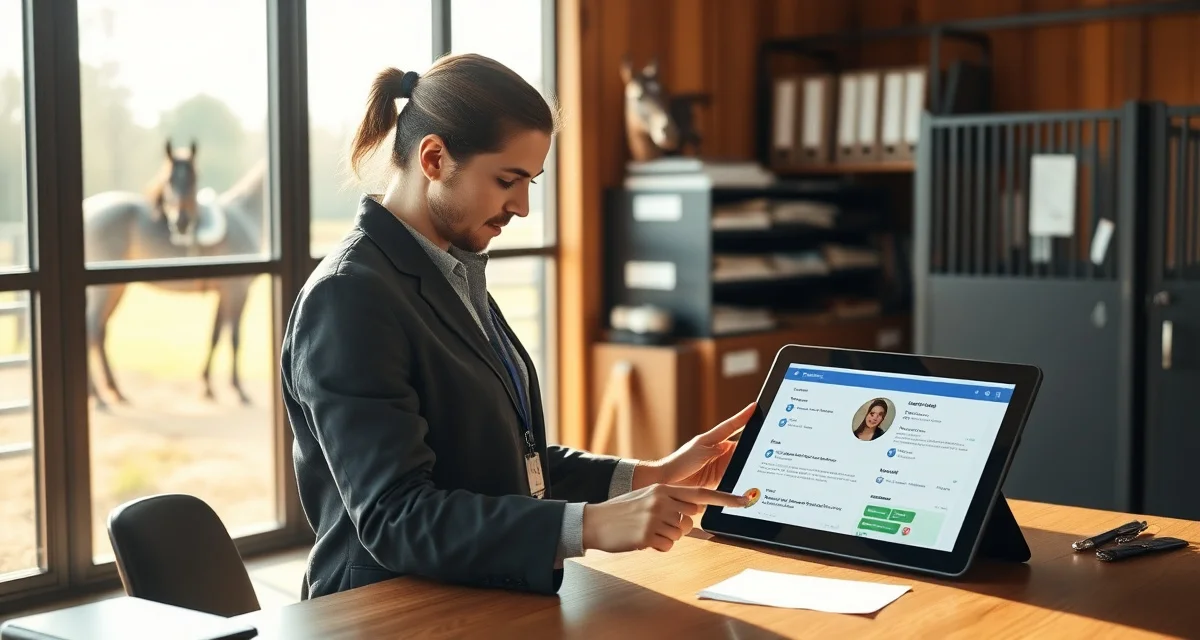
Horse Owner Communication Portal: Replace Group Texts at Your Boarding Barn
Horse owners rank communication quality as the #1 factor in boarding satisfaction, according to an AAEP survey. Yet most barns still run on group texts, scattered voicemails, and Facebook messages that get buried within hours.
TL;DR
- owner communication is the top factor in boarding client retention, ranked above facility quality and pricing in surveys
- Structured daily updates take under 30 seconds to log when built into care workflows and deliver outsized retention value
- Health alerts sent within 30 minutes of an event, with a documented response timeline, build owner confidence
- Billing transparency, specifically itemized invoices and pre-approval for large expenses, prevents most financial disputes
- An owner communication portal gives clients a single place to check updates and reduces inbound call volume significantly
- Written onboarding communication expectations reset habits from a boarder's previous barn and prevent early misunderstandings
A horse owner communication portal fixes that by putting daily updates, health alerts, vet summaries, and billing in one structured place, accessible to owners anytime, on any device.
The Problem With Group Texts at Boarding Barns
Group texts work fine for five horses. At fifteen, they become a liability.
Owners miss critical health updates because a feeding photo pushed the alert off their screen. Barn managers spend 45 minutes a day answering the same questions individually. New boarders feel out of the loop while long-term clients complain about notification overload.
The deeper problem is that group texts have no structure. There is no separation between a routine feeding update and an emergency colic alert. Everything lands in the same thread with the same visual weight, and owners have no way to search back through history when they need it.
When a horse shows a recurring lameness issue, the barn manager has to scroll through hundreds of messages to find when it first appeared. That is not a communication system. That is a liability.
Why Phone Calls Do Not Scale Either
Many barn managers default to calling owners directly for anything important. That approach builds relationships, but it does not scale past a certain barn size.
A 30-stall barn where the manager calls every owner after every vet visit means hours on the phone each week. Important details get summarized differently for each owner. There is no written record. And if the manager is unavailable, nothing gets communicated at all.
The Hidden Cost of Poor Owner Communication
Boarders leave barns for communication reasons more often than for care reasons. A horse that is well-fed, well-exercised, and healthy will still move to another facility if the owner feels uninformed.
Replacing a boarder costs real money: lost monthly revenue during vacancy, time spent showing the stall, and the administrative overhead of onboarding a new client. Keeping existing boarders happy through consistent, structured communication is one of the highest-ROI investments a barn can make.
What a Horse Owner Communication Portal Actually Does
A horse owner communication portal is a dedicated digital space where barn managers post updates and owners receive them in an organized, searchable format.
Unlike a group text or a shared Facebook group, a portal separates communication by horse, by category, and by urgency. An owner logs in and sees everything relevant to their horse, and nothing that is not.
BarnBeacon's owner portal takes this further by automating the routine parts of daily communication. Feeding confirmations, turnout logs, and water checks can be posted automatically, so managers spend their time on the updates that actually require human judgment.
The owner communication portal connects directly to the barn's daily task records, which means owners see real data from completed checklists, not a manager typing from memory at the end of a long day.
Automated Daily Reports
The most time-consuming part of owner communication is the daily update. Owners want to know their horse was fed, turned out, and observed. Managers know this, but writing individual updates for 25 horses takes time that most barns do not have.
Automated daily reports solve this by pulling from completed task logs. When a groom checks off morning feeding for Stall 12, that confirmation automatically appears in that horse's owner portal. No extra step required from the manager.
This does not replace personal communication. It handles the baseline so managers can focus on the updates that matter: a change in appetite, a new scrape, a behavioral shift.
Health Alerts and Vet Visit Summaries
Health communication is where group texts fail most visibly. A colic alert sent to a 20-person group thread creates chaos: questions from owners whose horses are fine, side conversations, and the actual owner of the sick horse struggling to get a direct response.
A portal routes health alerts directly to the relevant owner. The message is private, specific, and logged. If the vet visits and leaves instructions, the manager can post the full summary to the horse's record where the owner can read it, reference it later, and share it with their own vet if needed.
BarnBeacon's health alert system also supports photo attachments. A wound that looks minor in a text description looks very different in a photo. Giving owners visual context reduces unnecessary barn visits and unnecessary worry in equal measure.
Billing and Invoice Management
Billing disputes are one of the most common sources of tension between barn managers and boarders. When charges appear on a monthly invoice with no prior communication, owners push back.
A portal that integrates billing with communication eliminates most of that friction. When a farrier visits, the charge appears in the owner's portal alongside the visit note. When a vet administers a vaccine, the invoice line item is attached to the vet summary. Owners see charges in context, not as a surprise at the end of the month.
This is one area where an equine barn owner update system that combines communication and billing outperforms any standalone messaging tool. The connection between "what happened" and "what it cost" is visible in one place.
Document Storage and Horse Records
Coggins certificates, vaccination records, farrier schedules, and emergency contact forms all need to live somewhere accessible. Most barns keep paper files that owners cannot access without calling the barn.
A portal gives owners read access to their horse's documents. They can pull a Coggins certificate for a show entry at 10pm without calling anyone. They can verify their horse's last vaccination date before scheduling a vet visit.
For barn managers, this reduces inbound calls by a measurable amount. Owners who can self-serve on routine information questions do not need to interrupt barn operations to get answers.
Feature Breakdown: What to Look for in an Owner Portal
Not every tool marketed as a communication portal delivers the same functionality. Here is what actually matters in practice.
Per-Horse Communication Threads
Updates should be organized by horse, not by date or by staff member. An owner with two horses at the same barn should be able to view each horse's history independently.
This sounds obvious, but many barn management tools still organize communication chronologically across all horses, forcing owners to filter through updates for horses that are not theirs.
Urgency Tiers for Alerts
Not every message is equally important. A portal that treats a feeding confirmation the same as a colic alert trains owners to ignore notifications.
Look for a system that supports at least three tiers: routine updates, health observations, and emergency alerts. Each tier should have a distinct visual treatment and, for emergencies, a push notification that bypasses standard notification settings.
Two-Way Messaging With a Paper Trail
Owners need to be able to respond to updates and ask questions. But those responses should stay in the portal, not migrate to personal text threads.
Two-way messaging within the portal keeps the full conversation history attached to the horse's record. If there is ever a dispute about what was communicated and when, the record is complete and timestamped.
Mobile-First Design
Most owners check updates on their phones. A portal that requires a desktop browser will not get used consistently.
The interface needs to work on a phone screen without pinching and zooming. Notifications need to arrive reliably. Photo uploads from the barn need to be fast enough that staff will actually use them.
Integration With Barn Operations
A portal that exists separately from barn management software creates double-entry work. Managers end up logging tasks in one system and then writing updates in another.
The most efficient setup is a portal that reads directly from the barn's operational records. When a task is completed, the update is generated. When a vet visit is logged, the summary is available for the owner. No duplication.
Comparison: Group Text vs. Owner Communication Portal
| Feature | Group Text | Owner Communication Portal |
|---|---|---|
| Per-horse organization | No | Yes |
| Searchable history | No | Yes |
| Urgency tiers | No | Yes |
| Private health alerts | No | Yes |
| Billing integration | No | Yes |
| Document storage | No | Yes |
| Two-way messaging with record | No | Yes |
| Automated daily reports | No | Yes |
| Works on mobile | Yes | Yes |
| Requires no app download | Yes | Varies |
The only column where group texts win is familiarity. Every owner already has a phone. But familiarity is not the same as effectiveness, and the gap in every other category is significant.
How to Transition Your Barn From Group Texts to a Portal
The biggest barrier to adoption is not technology. It is habit. Owners and staff are used to texting, and any new system needs to be easier than the old one to stick.
Step 1: Audit Your Current Communication Volume
Before switching systems, spend one week logging every communication that goes out from your barn. Count the texts, calls, and emails. Categorize them: routine updates, health alerts, billing questions, document requests.
This audit will show you where the volume is highest and where the most time is being lost. It also gives you a baseline to measure against after you implement a portal.
Step 2: Choose a Portal That Matches Your Barn's Size
A 10-stall private barn has different needs than a 60-stall commercial facility. A portal that works well at scale may be overkill for a small operation. A lightweight tool may not handle the volume of a large barn.
Match the tool to your current size and your growth plans. If you plan to expand, choose something that scales without requiring a platform switch.
Step 3: Onboard Staff Before Owners
Staff adoption determines whether the portal actually gets used. If grooms and barn managers are not posting updates consistently, owners will not trust the system and will revert to texting.
Train staff on the daily workflow first. Make sure they understand which tasks trigger automatic updates and which require manual input. Run the system for two weeks internally before inviting owners.
Step 4: Introduce Owners With a Clear Value Statement
When you invite owners to the portal, lead with what they get: daily updates on their horse, direct health alerts, and access to their horse's records anytime. Do not lead with the technology.
Send a short video walkthrough. Offer a 15-minute call for any owner who wants help getting set up. Make the onboarding feel personal even though the system is automated.
Step 5: Set a Hard Cutoff Date for Group Texts
The transition will not complete if group texts remain an option. Set a date, typically 30 days after portal launch, after which all barn communication moves to the portal.
Communicate this clearly and early. Most owners will adapt quickly once they experience the portal's functionality. A small number will resist; handle those individually rather than keeping the old system alive for everyone.
Who Benefits Most From an Owner Communication Portal
Boarding Barns With 15+ Horses
Below 15 horses, a barn manager can often maintain personal communication with every owner without a formal system. Above 15, the volume becomes unmanageable without structure.
A portal pays for itself in time savings alone at this scale. Add the reduction in boarder turnover and the improvement in billing clarity, and the ROI is straightforward.
Barns With High Vet and Farrier Activity
Barns that manage a lot of medical and farrier activity generate a high volume of owner-relevant information. Every vet visit, every farrier appointment, every medication change needs to be communicated accurately.
A portal that integrates with vet and farrier logs keeps this information organized and accessible without requiring the manager to write individual summaries for every visit.
Training Barns With Lesson Programs
Training barns have a communication layer that pure boarding barns do not: lesson scheduling, training progress updates, and competition results. A portal that handles all of these in one place reduces the number of separate communication channels a trainer needs to manage.
Barns Experiencing High Boarder Turnover
If your barn is losing boarders at a rate that concerns you, communication quality is worth examining before you look at facility upgrades or pricing changes. A structured portal can address the most common complaint, feeling uninformed, without a major capital investment.
FAQ
What should barn managers communicate to horse owners every day?
At minimum, owners should receive confirmation that their horse was fed, turned out, and observed. Any deviation from normal behavior, appetite, or physical condition should be noted. If a vet, farrier, or other professional visited, a brief summary of the visit and any follow-up instructions should be included. Daily communication does not need to be lengthy; it needs to be consistent and specific to each horse.
How do I replace group texts with a better owner communication system?
Start by auditing your current communication volume to understand what you are actually sending and how often. Choose a portal that fits your barn's size and integrates with your existing task management. Onboard staff first, run the system internally for two weeks, then invite owners with a clear explanation of what they gain. Set a firm date to stop using group texts so the transition actually completes rather than running two systems indefinitely.
What do horse owners want to know about their horses at a boarding barn?
Owners consistently want three categories of information: daily care confirmation (feeding, turnout, water), health and behavioral observations (anything that deviates from normal), and professional visit summaries (vet, farrier, dentist). They also want access to their horse's documents and records without having to call the barn. Billing transparency, seeing charges in context rather than as a surprise invoice, is a close fourth. A horse owner communication portal that covers all four categories addresses the vast majority of owner concerns.
How does BarnBeacon compare to spreadsheets for barn management?
Spreadsheets require manual updates, lack real-time notifications, and create version control problems when multiple staff members are working from different files. BarnBeacon centralizes records, pushes alerts automatically based on logged events, and connects care records to billing and owner communication in one system. Most facilities report saving several hours per week after switching from spreadsheets.
What is the setup process like for BarnBeacon?
Most facilities complete the initial setup in under a week. Horse profiles, service templates, and billing configurations can be imported from existing records or entered directly. BarnBeacon's US-based support team is available to assist with setup, and most managers are running their first billing cycle through the platform within days of starting.
Can BarnBeacon support a barn with multiple staff members?
Yes. BarnBeacon supports multiple user accounts with role-based access, so barn managers, barn staff, and owners each see the information relevant to their role. Task assignments, completion logs, and communication history are all attached to the barn's account rather than to individual staff phones or email addresses.
What is Horse Owner Communication Portal: Replace Group Texts at Your Boarding Barn?
A horse owner communication portal is a centralized digital platform that replaces scattered group texts, voicemails, and Facebook messages at boarding barns. It gives horse owners a single place to access daily care updates, health alerts, vet summaries, and billing information from any device, anytime. BarnBeacon's portal helps barn managers log structured updates in under 30 seconds, improving owner satisfaction and reducing inbound call volume significantly.
How much does Horse Owner Communication Portal: Replace Group Texts at Your Boarding Barn cost?
BarnBeacon offers subscription-based pricing for its horse owner communication portal, with plans designed to fit boarding barns of various sizes. Pricing typically varies based on the number of horses or stalls managed. For current plans and exact costs, visit the BarnBeacon website or contact their team directly. Many barn managers find the reduction in owner disputes, phone calls, and missed communications delivers clear return on the monthly investment.
Sources
- American Association of Equine Practitioners (AAEP)
- American Competitive Trail Horse Association (ACTHA)
- American Horse Council
- Kentucky Equine Research
- UC Davis Center for Equine Health
Get Started with BarnBeacon
Owner communication that runs on group texts and personal phones is a system waiting to break. BarnBeacon gives equine facilities the structure to deliver consistent, horse-specific updates automatically, keep health alerts separate from routine notices, and give owners portal access to their horse's complete history. Start a free trial and see what your communication looks like when it runs through a system built for it.