Team Roping Barn Owner Communication: Updates and Photos
Team roping barn owner communication runs on a different rhythm than most other disciplines. Owners are tracking two horses at once, monitoring both header and heeler performance, and making buying and selling decisions based on what they see at practice and in the arena. Generic barn software was never built for that.
TL;DR
- Owner communication is the top factor in boarding client retention, ranked above facility quality and pricing in surveys
- Structured daily updates take under 30 seconds to log when built into care workflows and deliver outsized retention value
- Health alerts sent within 30 minutes of an event, with a documented response timeline, build owner confidence
- Billing transparency, specifically itemized invoices and pre-approval for large expenses, prevents most financial disputes
- An owner communication portal gives clients a single place to check updates and reduces inbound call volume significantly
- Written onboarding communication expectations reset habits from a boarder's previous barn and prevent early misunderstandings
Team roping disciplines have unique owner communication patterns that generic platforms consistently miss. When an owner has a horse in training as a header, they want to know how that horse is rating the steer, not just that it had a "good workout." Getting that level of specificity right is what separates barns that retain clients from those that lose them to competitors down the road.
Why Team Roping Owners Communicate Differently
Most horse owners want health updates, feeding confirmations, and the occasional photo. Team roping owners want all of that plus performance context tied directly to competition goals.
They are often active competitors themselves. They understand the sport at a technical level, which means vague updates feel dismissive rather than reassuring. If a horse had a rough run, they want to know why, not just that it happened.
Owners in this discipline also tend to manage multiple horses across multiple barns. Clear, consistent communication from your facility is what keeps their attention and their business.
Step 1: Set Up a Structured Update Schedule
Define Your Update Frequency
Start by deciding how often owners receive updates and what triggers an immediate notification outside that schedule. A standard approach for team roping barns is a weekly summary plus same-day alerts for anything health-related or competition-relevant.
Weekly updates should cover training progress, any changes in conditioning work, and upcoming competition plans. Same-day alerts cover vet visits, injuries, changes in feed or turnout, and competition results.
Create a Template for Each Update Type
Templates save time and keep your communication consistent across all owners. Build separate templates for weekly training summaries, competition result reports, health and vet updates, and photo or video drops.
For a team roping training summary, your template should include the horse's role (header or heeler), what was worked on, how the horse responded, and what the focus will be next week. That four-field structure takes two minutes to fill out and gives owners exactly what they need.
Step 2: Capture and Send Photo and Video Updates
Shoot With Purpose
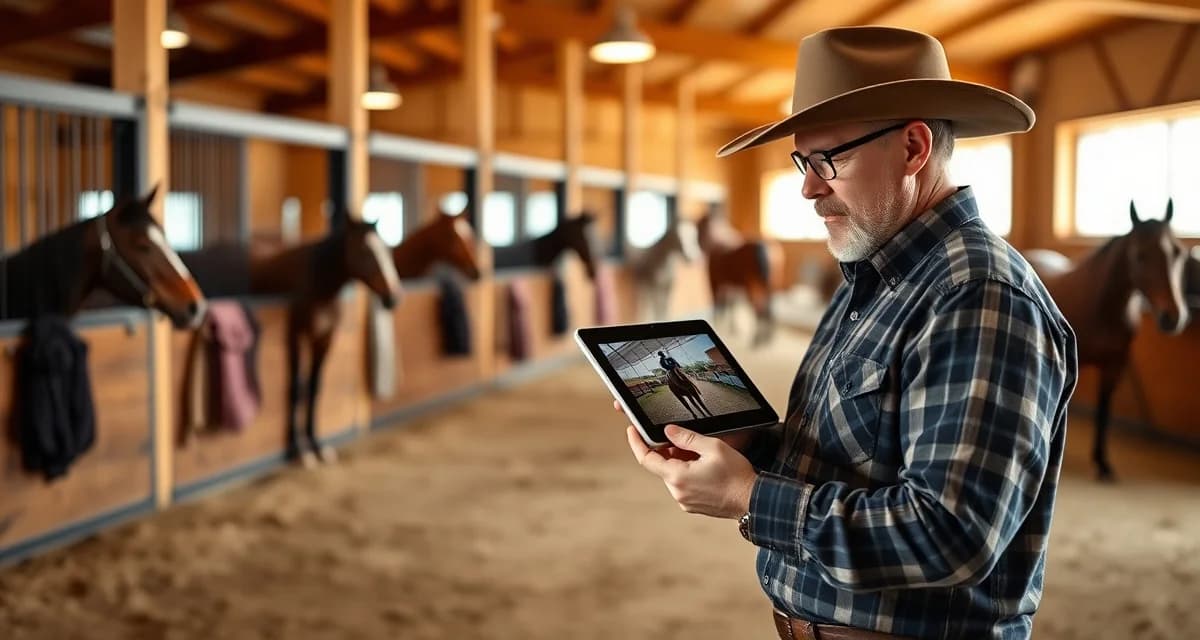
A photo of a horse standing in a stall tells an owner almost nothing. A short video clip of a horse rating a steer in the practice pen tells them everything. For team roping barns, video is the most valuable communication asset you have.
Aim for at least one video clip per horse per week during active training periods. Capture the horse doing the specific work the owner is paying for, whether that is working the dummy, running practice steers, or conditioning work on the track.
Use a Centralized Delivery System
Sending photos and videos through personal text messages creates chaos fast. Files get buried, owners miss updates, and you have no record of what was sent or when.
An owner communication portal solves this by giving every owner a dedicated feed for their horses. Updates are timestamped, searchable, and accessible from any device. Owners can review a horse's full training history without asking you to dig through old messages.
Step 3: Report Competition Results With Context
Go Beyond Win or Loss
After a competition, owners want more than a placing. They want to know how the horse performed mechanically, what the time was, how the horse handled the environment, and what adjustments, if any, are planned before the next run.
A competition report for a team roping horse should include: the event name and date, the horse's role, the run time, a brief description of the horse's performance, and one or two sentences on next steps. Keep it factual and specific.
Flag Patterns Early
If a horse is consistently struggling with a particular aspect of its job, such as breaking early or missing the corner, owners need to know before it becomes a bigger problem. Proactive communication on performance patterns builds trust and gives owners the chance to weigh in on training decisions.
This kind of transparency is also what separates professional training operations from backyard setups. Owners who feel informed stay longer and refer other clients.
Step 4: Use Software Built for Barn Workflows
What Generic Tools Miss
Most barn management platforms were designed around boarding and basic care tracking. They handle feeding schedules and vet records reasonably well, but they were not built to communicate discipline-specific training progress to owners who understand the sport at a technical level.
What some tools lack is the ability to customize update fields by discipline, attach media directly to a horse's profile, and give owners a clean view of their horse's full history in one place. For team roping barns, those gaps matter.
How BarnBeacon Fits Team Roping Workflows
BarnBeacon's owner portal adapts to team roping barn workflows by letting managers configure update templates around the specific reporting needs of the discipline. You can build custom fields for header and heeler performance notes, attach video directly to training logs, and send updates to individual owners or groups with one action.
For barns managing team roping barn operations at scale, the ability to batch updates across multiple horses while keeping each owner's feed personalized is a significant time saver. Owners see only their horses, with full media history and training notes in a clean, mobile-friendly interface.
Step 5: Handle Difficult Updates Professionally
Health Issues and Injuries
When a horse is injured or ill, the owner needs to hear from you before they hear from anyone else. Call first for anything serious, then follow up in writing through your portal so there is a documented record of what happened and what steps were taken.
Keep the message factual. Include what was observed, when it was observed, what action was taken, and what the next steps are. Avoid speculation about cause or prognosis unless you have a vet's assessment to reference.
Performance Concerns
If a horse is not progressing as expected, address it directly and early. Owners who find out late that their horse has been struggling for weeks feel blindsided, and that erodes trust quickly.
Frame performance concerns around what you have observed, what you have tried, and what you recommend next. Give the owner a clear picture and a path forward.
Common Mistakes to Avoid
Sending updates inconsistently. Owners notice when communication drops off. Set a schedule and stick to it, even during slow weeks.
Using personal messaging apps as your primary channel. Text threads and WhatsApp groups are not a communication system. They create gaps in your records and make it impossible to maintain a clean history for each horse.
Being vague about performance. "He looked good today" is not an update. Specifics are what owners are paying for.
Waiting too long on bad news. Whether it is a health issue or a performance concern, early communication is always better than delayed communication.
Skipping video during busy competition seasons. That is exactly when owners most want to see their horses working.
How does BarnBeacon compare to spreadsheets for barn management?
Spreadsheets require manual updates, lack real-time notifications, and create version control problems when multiple staff members are working from different files. BarnBeacon centralizes records, pushes alerts automatically based on logged events, and connects care records to billing and owner communication in one system. Most facilities report saving several hours per week after switching from spreadsheets.
What is the setup process like for BarnBeacon?
Most facilities complete the initial setup in under a week. Horse profiles, service templates, and billing configurations can be imported from existing records or entered directly. BarnBeacon's US-based support team is available to assist with setup, and most managers are running their first billing cycle through the platform within days of starting.
Can BarnBeacon support a barn with multiple staff members?
Yes. BarnBeacon supports multiple user accounts with role-based access, so barn managers, barn staff, and owners each see the information relevant to their role. Task assignments, completion logs, and communication history are all attached to the barn's account rather than to individual staff phones or email addresses.
FAQ
What is Team Roping Barn Owner Communication: Updates and Photos?
Team roping barn owner communication refers to the structured process of keeping horse owners informed about their animals' training progress, health, and daily care through updates, photos, and digital tools. Unlike general boarding situations, team roping involves tracking two horses simultaneously—a header and a heeler—so communication must address both animals' conditioning, arena performance, and readiness for competition. Effective communication systems are built specifically for the demands of this discipline.
How much does Team Roping Barn Owner Communication: Updates and Photos cost?
Dedicated team roping owner communication tools vary in cost, but most barn management platforms offering owner portals, photo sharing, and health alerts range from $30 to $150 per month depending on herd size and features. Some platforms charge per horse or per owner account. The return on investment is significant: improved client retention from consistent communication typically outweighs subscription costs within the first few months of use.
How does Team Roping Barn Owner Communication: Updates and Photos work?
A structured communication system works by integrating daily update logging into existing care routines. Barn staff log brief notes—often under 30 seconds—on feed, turnout, and training observations, which are automatically pushed to an owner-facing portal or mobile app. Photos and videos taken during practice sessions are attached to horse profiles. Health alerts trigger immediate notifications, and billing summaries with itemized expenses are shared digitally for full transparency.
What are the benefits of Team Roping Barn Owner Communication: Updates and Photos?
The core benefits include higher client retention, fewer inbound calls, and reduced billing disputes. Owners who receive consistent, structured updates stay longer and refer more clients. For team roping specifically, real-time training notes on how a horse is rating steers or setting up heels help owners make informed buying, selling, and entry decisions. A documented communication trail also protects barn owners legally and professionally when disputes arise.
Who needs Team Roping Barn Owner Communication: Updates and Photos?
Any barn owner or trainer housing team roping horses needs a structured communication approach, particularly when managing multiple owners whose horses are in active competition training. It is especially valuable for facilities with more than five to ten boarding clients, where informal text updates become inconsistent and hard to track. Owners with horses competing at jackpots and ropings expect professional-grade communication that matches the seriousness of their investment.
How long does Team Roping Barn Owner Communication: Updates and Photos take?
Setting up a communication system typically takes one to two weeks, including onboarding owners to a portal and training staff on logging protocols. Once established, daily updates take under 30 seconds per horse when built into care workflows. Health alerts are sent within 30 minutes of an incident. The upfront time investment is small relative to the long-term efficiency gains and the reduction in time spent fielding phone calls from owners.
What should I look for when choosing Team Roping Barn Owner Communication: Updates and Photos?
Look for a platform built specifically for equine management rather than generic farm software. Key features include individual horse profiles, photo and video sharing, timestamped health alert logs, itemized billing, and a clean owner-facing portal. For team roping operations, the ability to tag updates by discipline role—header versus heeler—and track competition readiness separately for each horse is a significant advantage worth prioritizing during your evaluation.
Is Team Roping Barn Owner Communication: Updates and Photos worth it?
Yes. Owner communication is consistently ranked as the top factor in boarding client retention, above facility quality and pricing. For team roping barns where owners are managing significant financial and competitive investments across two horses, professional communication directly influences how long they board, whether they refer others, and how disputes are handled. Barns that implement structured communication systems report measurable improvements in retention and a notable drop in owner-initiated conflict.
Sources
- American Association of Equine Practitioners (AAEP)
- American Horse Council
- Kentucky Equine Research
- UC Davis Center for Equine Health
- American Horse Council Economic Impact Study
Get Started with BarnBeacon
Owner communication that runs on group texts and personal phones is a system waiting to break. BarnBeacon gives team roping facilities the structure to deliver consistent, horse-specific updates automatically, keep health alerts separate from routine notices, and give owners portal access to their horse's complete history. Start a free trial and see what your communication looks like when it runs through a system built for it.