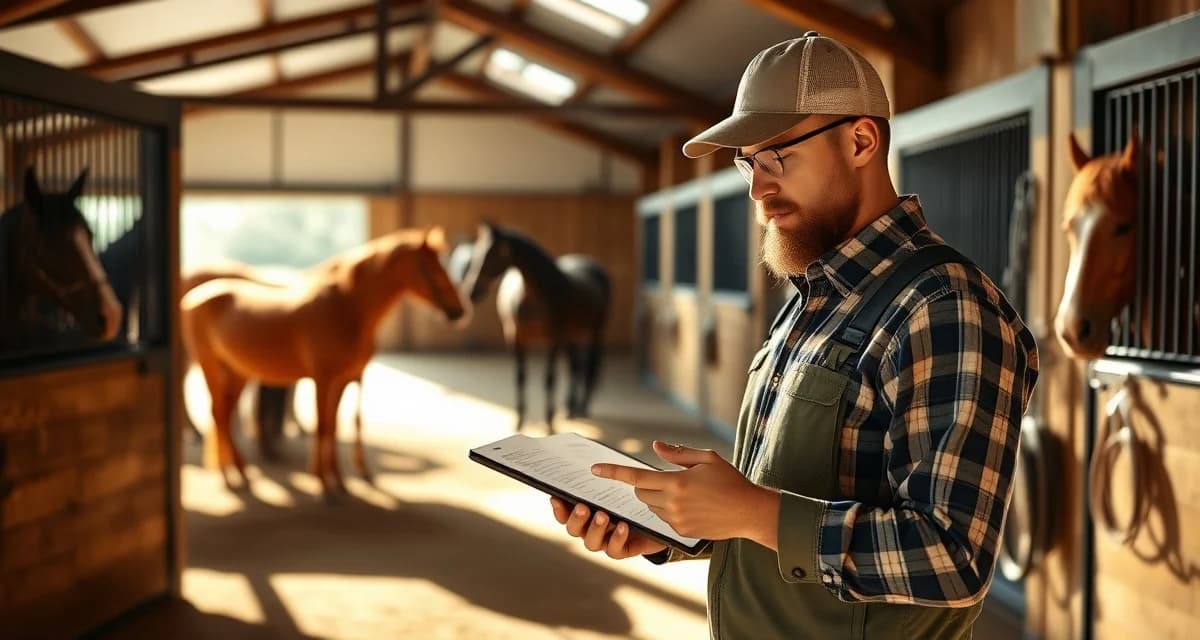
Trail Riding Barn Owner Communication: Daily Updates and Best Practices
Trail riding disciplines have unique owner communication patterns that generic barn software simply doesn't account for. Unlike arena-based disciplines, trail riding involves variable terrain, weather-dependent scheduling, and herd-based turnout that changes day to day. Owners boarding horses at trail riding facilities need different information than dressage or hunter/jumper clients, and your communication system needs to reflect that.
TL;DR
- Checklists assigned to specific named staff members have higher completion rates than shared or unassigned task lists
- Digital completion records with timestamps create an audit trail that paper checklists cannot provide
- Per-horse daily checklists tied to each animal's care plan catch individual health changes that generic barn rounds miss
- Morning and evening shift handover checklists prevent the communication gaps where care tasks fall through
- A completed checklist is your documentation that due diligence happened; an incomplete one is a liability exposure
- Review completion rates weekly to identify patterns in missed tasks before they become care or safety incidents
The Problem With Generic Barn Communication
Most barn management tools treat all disciplines the same. They offer a generic daily report with fields for feeding, turnout, and health notes. That works fine for a stall-kept show horse. It falls apart for a trail riding operation where horses might cover 8 to 12 miles on a given day, rotate through different trail groups, or get pulled from a ride due to footing conditions.
Trail riding barn owner communication requires context that generic templates don't provide. Was the horse in the front group or the back? Did the trail get rerouted due to mud? How did the horse handle the creek crossing? These are the details trail horse owners actually want.
What You Need Before You Start
Before building your daily communication workflow, get three things in place:
- A consistent time to send updates (most trail barns do this post-ride, between 3 and 5 PM)
- A template that reflects trail-specific variables
- A delivery method owners will actually check
An owner communication portal purpose-built for equine facilities handles all three without requiring you to manage separate apps, texts, and email threads.
Step-by-Step: Building Your Daily Trail Riding Update System
Step 1: Define What Trail Owners Actually Need to Know
Start by listing the information that is specific to trail riding. This is not the same list you'd use for a boarding barn that runs arena lessons.
Trail-specific daily report fields should include:
- Trail ridden (name, distance, estimated time)
- Group placement (front, middle, back of the group)
- Footing and weather conditions
- Horse behavior on trail (spooky, forward, tired, relaxed)
- Any tack or equipment notes (saddle fit check, bit swap, boot use)
- Post-ride condition (cool-down, pulse/respiration if applicable, any heat or swelling)
- Next scheduled ride or rest day
This list gives owners a real picture of their horse's day, not just a checkbox that says "turnout: yes."
Step 2: Create a Repeatable Template
Consistency matters more than length. Owners who receive the same format every day learn to scan it quickly and spot anything unusual.
A simple trail riding daily update template looks like this:
> [Horse Name] - [Date]
> Trail: [Name], [Distance]
> Group: [Front/Middle/Back]
> Conditions: [Footing, weather]
> Behavior: [2-3 sentences]
> Post-ride: [Condition notes]
> Tomorrow: [Ride or rest day]
Keep the behavior section conversational. "Maggie was forward and confident through the rocky section near mile 4, but backed off at the water crossing. We let her take her time and she crossed without issue" tells an owner far more than "good on trail."
Step 3: Choose Your Delivery Method
Email, text, and app-based portals each have tradeoffs.
Email is easy to send but gets buried. Text is immediate but creates a messy thread and no searchable history. A dedicated trail riding barn operations platform with an owner-facing portal keeps everything organized, timestamped, and accessible from any device.
BarnBeacon's owner portal is built to adapt to trail riding workflows. You can configure custom report fields that match your operation, attach photos from the trail, and send updates to individual owners or groups. Owners log in to see their horse's history without you managing a separate inbox.
Step 4: Add Photos When Possible
A single photo from the trail does more for owner confidence than three paragraphs of text. You don't need professional shots. A quick phone photo of the horse on a scenic section, at a water crossing, or cooling down after a ride takes 10 seconds and builds enormous goodwill.
Set a realistic expectation with your team: one photo per horse per week is achievable. Daily photos are a bonus, not a requirement.
Step 5: Set Up a Weekly Summary
Daily updates cover the day-to-day. A weekly summary gives owners the bigger picture.
Send a weekly recap every Friday or Saturday that includes:
- Total miles ridden that week
- Any health or soundness observations
- Upcoming schedule for the following week
- Any maintenance needs (farrier, dental, chiro) coming up
This is also the right place to flag anything that needs an owner decision, like whether to rest a horse that's been showing mild fatigue or adjust a training plan.
Step 6: Build a Protocol for Unplanned Events
Trail riding has more unplanned events than most disciplines. A horse pulls a shoe on the trail. A rider gets separated from the group. A horse shows signs of tying up after a long climb. You need a communication protocol ready before these things happen.
Define three tiers:
- Informational (no action needed): Include in the daily update
- Advisory (owner should know, may want to discuss): Send a separate message same day
- Urgent (requires owner decision or vet involvement): Call first, document in the portal after
Having this framework means owners know what to expect and you're not making judgment calls in the moment about whether to call or text.
Common Mistakes Trail Barns Make With Owner Communication
Sending updates too late. If owners get their daily report at 9 PM, they've already spent the evening wondering. Post-ride updates should go out within two hours of the horses returning.
Using the same template as arena barns. If your daily report has a field for "arena work" and nothing for trail conditions, you're using the wrong tool.
Skipping updates on rest days. Owners still want to know their horse is doing well even when there's no ride. A two-sentence rest day note takes 60 seconds and prevents unnecessary check-in calls.
No photo history. When an owner asks "how has my horse looked over the past month?" you should be able to show them. A portal with photo history answers that question instantly.
FAQ
How do I communicate with trail riding horse owners?
Use a consistent daily update sent within two hours of the post-ride cool-down. Include trail-specific details like distance, group placement, footing conditions, and horse behavior. A dedicated owner portal keeps communication organized and searchable, which is more reliable than text threads or email.
What do trail riding owners want to know about their horses?
Trail horse owners prioritize behavioral and physical condition information specific to trail work: how the horse handled terrain, whether it was forward or fatigued, any soundness observations, and what's scheduled next. They also want to know about weather and footing conditions that affected the ride, since these directly impact their horse's workload and recovery.
What owner portal features matter for trail riding barns?
Look for customizable daily report fields so you can capture trail-specific data, photo and video upload capability, a searchable message history, and the ability to send updates to individual owners or groups. Generic barn software often lacks these customization options, which forces trail barns to work around tools that weren't built for their discipline.
How does BarnBeacon compare to spreadsheets for barn management?
Spreadsheets require manual updates, lack real-time notifications, and create version control problems when multiple staff members are working from different files. BarnBeacon centralizes records, pushes alerts automatically based on logged events, and connects care records to billing and owner communication in one system. Most facilities report saving several hours per week after switching from spreadsheets.
What is the setup process like for BarnBeacon?
Most facilities complete the initial setup in under a week. Horse profiles, service templates, and billing configurations can be imported from existing records or entered directly. BarnBeacon's US-based support team is available to assist with setup, and most managers are running their first billing cycle through the platform within days of starting.
Can BarnBeacon support a barn with multiple staff members?
Yes. BarnBeacon supports multiple user accounts with role-based access, so barn managers, barn staff, and owners each see the information relevant to their role. Task assignments, completion logs, and communication history are all attached to the barn's account rather than to individual staff phones or email addresses.
What is Trail Riding Barn Owner Communication: Daily Updates and Best Practices?
Trail Riding Barn Owner Communication: Daily Updates and Best Practices is a guide covering how trail riding barn facilities can improve daily owner communication through structured checklists, shift handovers, and digital reporting. It addresses the unique needs of trail riding operations—including weather-dependent scheduling, variable terrain, and herd-based turnout—and explains how per-horse daily checklists, timestamped completion records, and staff-assigned tasks reduce care gaps and liability exposure compared to generic barn management approaches.
How much does Trail Riding Barn Owner Communication: Daily Updates and Best Practices cost?
Trail Riding Barn Owner Communication: Daily Updates and Best Practices is a free article published on BarnBeacon. There is no cost to read or access it. BarnBeacon provides educational content on barn management and owner communication as a resource for equine facility operators. If you are interested in barn management software or tools referenced in the article, those products may have their own separate pricing structures worth exploring independently.
Sources
- American Association of Equine Practitioners (AAEP)
- United States Equestrian Federation (USEF)
- American Competitive Trail Horse Association (ACTHA)
- American Horse Council
- Kentucky Equine Research
Get Started with BarnBeacon
The steps in this guide only deliver results when the tools behind them match your actual daily workflows. BarnBeacon gives trail riding barns the task management, health logging, and owner communication infrastructure to run the protocols described here without adding administrative overhead. Start a free trial and build your first digital task system around your horses' real care plans.