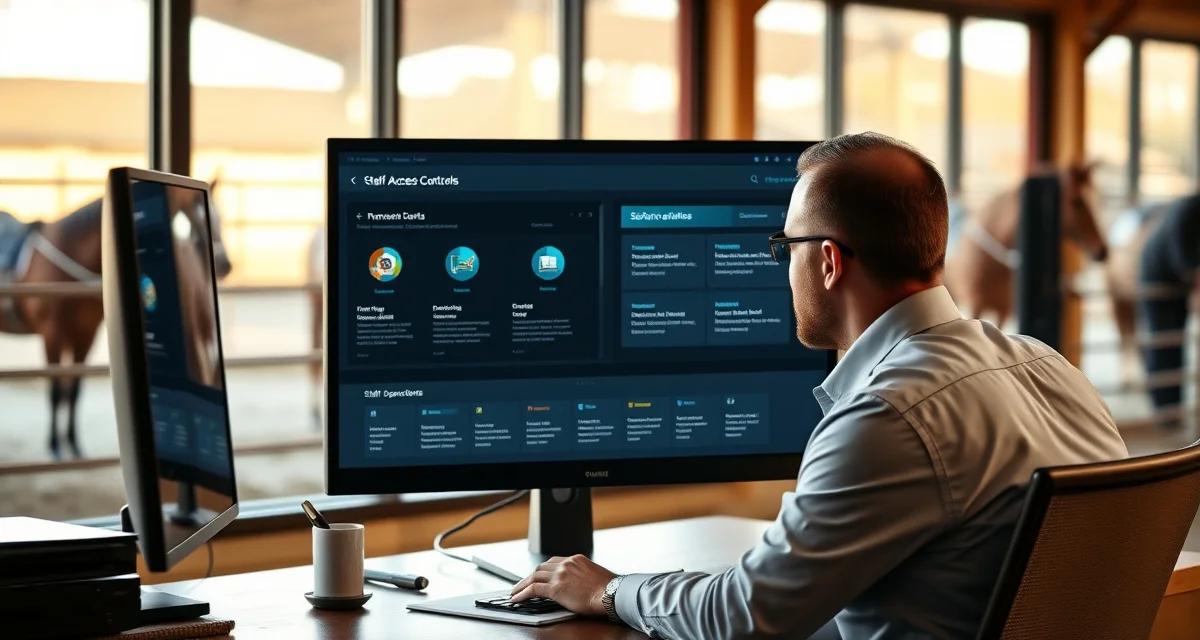
Staff Permissions in Barn Management Software
Barn management software handles sensitive information: client billing details, horse health records, financial data, and operational schedules. Not every staff member needs access to all of it. Staff permissions let you control who can see and do what, so each person has exactly the access they need for their role without being exposed to information that isn't relevant to their job.
Why Permissions Matter at a Boarding Barn
A boarding barn's staff typically includes a mix of roles: barn managers, grooms, riding instructors, office managers, and possibly part-time or seasonal help. Each role has different information needs.
A groom needs to see their assigned horses' care tasks and feeding instructions. They don't need access to billing records or other clients' sensitive information. An office manager handling invoicing needs billing access but doesn't necessarily need to modify health records. A barn manager overseeing everything needs broad access.
Without role-based permissions, you either give everyone full access (a security and privacy risk) or restrict everyone to basic access (which makes the software less useful for people who need more). Permissions let you set the right level for each person.
Permission Levels in BarnBeacon
BarnBeacon uses a role-based permissions system with several access levels:
Owner/Administrator. Full access to all features including billing, client records, staff management, and system settings. Typically the barn owner or head manager.
Manager. Access to horse records, care logs, scheduling, and billing. Can add and modify horse profiles, log care events, and manage the staff schedule. May or may not have access to financial settings depending on configuration.
Staff/Groom. Access to assigned care tasks, horse profiles for their assigned horses, and care log entry. Cannot access billing information or modify horse assignments.
Instructor. Access to lesson scheduling, student and lesson horse profiles, and session logs. Limited billing access as appropriate.
Office. Access to billing, client accounts, and invoicing. May not need access to care logs or operational scheduling.
Custom roles can be configured for situations that don't fit the standard categories.
What Permissions Control
Staff permissions in BarnBeacon control access to specific modules and actions:
- Viewing vs. editing horse records
- Accessing client billing information
- Creating and sending invoices
- Logging care events and medical records
- Adding charges to horse accounts
- Modifying staff schedules
- Accessing financial reports
- Sending messages to clients
Each of these can be assigned or restricted independently per staff role, giving you fine-grained control over what each person can do.
Protecting Client Privacy
Horse owners trust your barn with sensitive information: their contact details, financial information, and their horses' medical records. Appropriately restricting staff access to this information is both a professional practice and, depending on your jurisdiction, potentially a legal obligation.
BarnBeacon's permissions system ensures that a part-time staff member logging morning feeding tasks can't accidentally access or modify another client's billing records. The system is designed so each staff member sees only what they need.
Practical Setup
When setting up staff accounts in BarnBeacon, you assign each staff member to a role, and that role determines their default permissions. If a specific staff member needs a slightly different set of permissions, you can customize their access individually without changing the role settings for everyone else.
For barns with seasonal or temporary staff, the permissions system lets you create accounts with appropriately limited access for short-term workers. When the season ends, you deactivate the account. The records of what that person logged remain, but they no longer have system access.
See staff permissions role controls for more detail on how to configure specific permission settings in BarnBeacon.
FAQ
What is Staff Permissions in Barn Management Software?
Staff permissions in barn management software let you control which team members can view or edit specific types of information. Rather than giving everyone full access to client billing, horse health records, and financial data, you assign each staff member access appropriate to their role. A groom sees care tasks; an office manager handles invoices; a barn manager gets broader access. This protects client privacy and reduces the risk of accidental or unauthorized changes to sensitive records.
How much does Staff Permissions in Barn Management Software cost?
Staff permissions are typically included as part of your barn management software subscription rather than priced separately. BarnBeacon includes role-based permissions across its plans, so you're not paying extra to control who accesses what. Pricing varies by plan tier and the number of horses or users you manage. The key value isn't just the feature itself — it's avoiding the cost of data breaches, billing errors, or privacy incidents that come from uncontrolled access.
How does Staff Permissions in Barn Management Software work?
Staff permissions work by assigning each user a role that determines what they can see and do inside the software. When a staff member logs in, they only see the sections and data relevant to their role. A groom might see feeding schedules and care tasks but not billing. An office manager sees invoices but not health record editing tools. Administrators set these roles during onboarding and can adjust them as staff responsibilities change.
What are the benefits of Staff Permissions in Barn Management Software?
Role-based permissions protect client privacy, reduce liability, and make your software more useful for every team member. Staff see relevant information without distraction from data that doesn't apply to them. Billing records stay protected from unauthorized access, and health records are only editable by qualified staff. Permissions also simplify onboarding — new hires get the right access immediately without needing a manual walkthrough of what they should or shouldn't touch.
Who needs Staff Permissions in Barn Management Software?
Any barn with more than one staff member handling different responsibilities benefits from staff permissions. Boarding barns, training facilities, and equine centers with a mix of grooms, instructors, office managers, and seasonal help all have varying information needs. If your operation is large enough that one person can't do everything — and most are — you need permissions to ensure each role has appropriate access without exposing sensitive client or financial data to everyone on the team.
How long does Staff Permissions in Barn Management Software take?
Setting up staff permissions takes minutes, not hours. In BarnBeacon, you assign a role when adding a staff member, and the system handles the access restrictions automatically. Initial setup for a full team is typically done in a single session. Ongoing management is equally fast — updating a role or adjusting access for a promoted employee takes only a few clicks. There's no technical configuration required; it's designed to be managed by barn owners and managers, not IT staff.
What should I look for when choosing Staff Permissions in Barn Management Software?
Look for software that offers predefined roles that match common barn positions — groom, instructor, manager, admin — so you're not building permissions from scratch. Granular control matters: you want to restrict billing separately from health records separately from scheduling. Check whether permissions are easy to update as staff roles evolve. Also consider audit trails so you can see who accessed or changed sensitive data. BarnBeacon's role-based system covers these needs without requiring technical expertise to manage.
Is Staff Permissions in Barn Management Software worth it?
Yes, staff permissions are worth it for any barn managing client data, finances, and horse health records across a team. The alternative — giving everyone full access or restricting everyone equally — creates real risks: privacy violations, accidental edits, and frustrated staff who can't do their jobs efficiently. Permissions solve all three problems at once. For barns subject to client trust and data privacy expectations, the protection alone justifies the feature, and the operational efficiency gains are an added benefit.