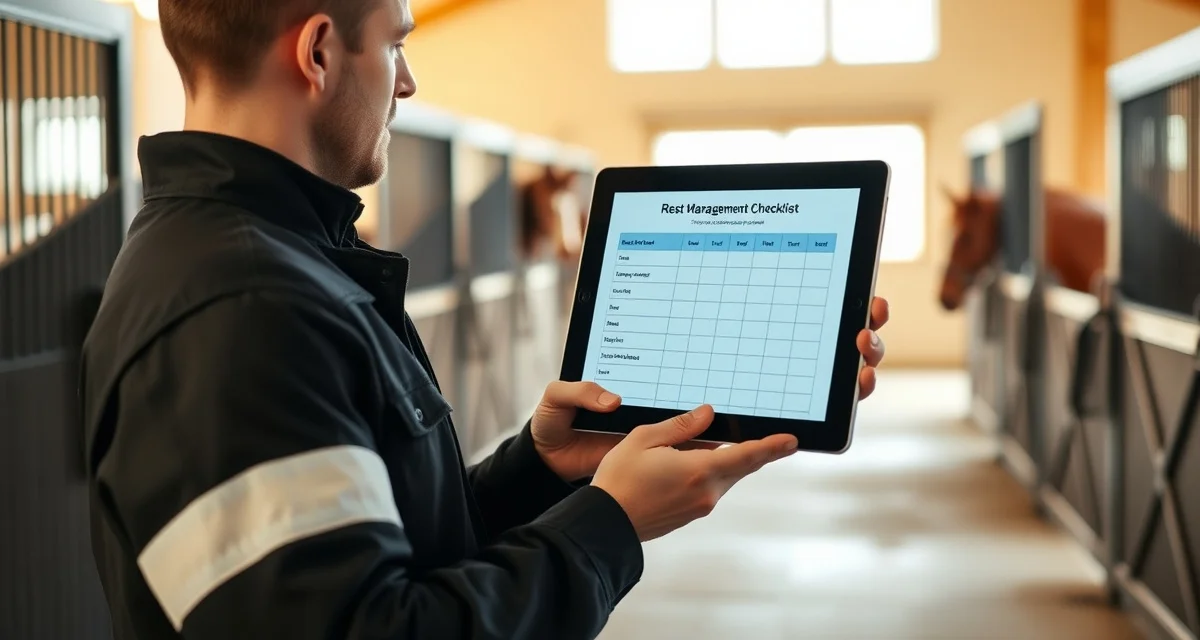
Horse Stall Rest Management for Barn Managers
Managing a horse on stall rest is one of the most operationally demanding situations a boarding barn faces. One missed hand-walk, one unauthorized turnout, or one miscommunicated vet instruction can set back a horse's recovery by weeks and put your barn in the middle of a dispute you can't win. According to industry data, 72% of boarding disputes involve disagreements about turnout records, and stall rest cases are where those records matter most.
TL;DR
- Effective barn management requires systems that match actual daily workflows, not adapted generic tools
- Per-horse record keeping with digital access reduces the response time to owner questions from hours to seconds
- Automated owner communication and health alerts reduce inbound calls while increasing owner satisfaction and retention
- Billing errors cost barns thousands of dollars annually; point-of-service charge logging is the most effective prevention
- Staff accountability systems with named task assignments and completion logs prevent care gaps without micromanagement
- Purpose-built equine software connects health records, billing, and owner communication in one place
The steps below give you a repeatable system for tracking vet instructions, logging staff activity, communicating with owners, and managing the return-to-turnout process without anything falling through the cracks.
Before You Start: What You Need in Place
Before a stall rest horse even arrives at your barn or gets pulled from turnout, you need three things ready: a place to store vet instructions, a way to log daily activity, and a communication channel with the owner. Without all three, you're managing by memory, and memory fails.
BarnBeacon logs every turnout entry and exit with staff ID, timestamp, and a compatibility check, giving you an audit trail that protects your barn and your staff. That kind of documentation is what separates a professional boarding operation from one that relies on sticky notes and group texts.
Step 1: Capture and Store Vet Instructions at Intake
Get the Instructions in Writing
Never accept verbal vet instructions for a stall rest case. Ask the owner to forward the discharge paperwork or have the vet email your barn directly. If neither is possible, document the verbal instructions yourself, note the date, and have the owner confirm them in writing via text or email.
Ambiguous instructions like "limited movement" create liability. Push for specifics: how many minutes of hand-walking per day, whether the horse can stand in a small paddock, and what signs should trigger a call to the vet.
Create a Stall Rest Record
Set up a dedicated record for the horse that includes the diagnosis, the start date, the expected duration, all restrictions, and the name of the attending vet. This record should be accessible to every staff member who works that horse's aisle, not just the barn manager.
Link the vet instructions directly to the horse's daily care card so staff see the restrictions before they see the task list. If you're using software, attach the PDF. If you're using paper, laminate a copy and hang it on the stall door.
Step 2: Build the Daily Care and Hand-Walking Log
Assign Specific Staff to Stall Rest Horses
Rotating stall rest horses through whoever is available that day is a recipe for inconsistency. Assign one primary handler and one backup per horse. Both should read the vet instructions before they ever touch the lead rope.
Document every hand-walk with a start time, end time, staff name, and any observations. If the horse was sweating, showing signs of pain, or refusing to move, that goes in the log. If the walk was skipped because the horse was colicking, that goes in the log too.
Use Your barn daily checklist as the Backbone
Your existing daily checklist should have a stall rest section that triggers automatically when a horse is flagged. This keeps stall rest tasks from being treated as optional add-ons and ensures they appear in the same workflow your staff already follows.
Check off each task only after it's completed, not before. Pre-checking tasks is one of the most common ways documentation becomes inaccurate, and it's the first thing an owner's attorney will look for if a dispute escalates.
Step 3: Set Up Owner Communication Protocols
Define Update Frequency Upfront
At the start of every stall rest case, tell the owner exactly how often they'll receive updates and through what channel. Daily updates work for acute injuries. Every-other-day updates may be appropriate for longer recovery periods. Whatever you agree on, put it in writing.
Owners on stall rest cases are anxious. A proactive update prevents three reactive phone calls. Even a two-sentence message saying "Bella completed her 20-minute hand-walk, eating and drinking normally" takes 30 seconds to send and saves you 20 minutes of reassurance later.
Log Every Owner Conversation
Every call, text, and email related to a stall rest horse should be logged with a date and a summary. If an owner later claims they were never told about a setback or a change in protocol, your log is your defense. This is especially important if the vet updates the instructions mid-recovery.
Step 4: Manage Turnout Conflicts and Compatibility Checks
Why Turnout Conflicts Are the Biggest Risk
A horse on stall rest who gets accidentally turned out with an aggressive pasture mate can undo weeks of healing in seconds. Most barns don't have a system that flags this risk in real time, which is why it happens more often than anyone wants to admit.
Equine stall rest tracking software that includes turnout conflict alerts solves this at the operational level. When a staff member attempts to assign a stall rest horse to a paddock that conflicts with their restrictions or with an incompatible horse, the system stops them before the gate opens.
Build Compatibility Into Your Rotation System
Use your turnout rotation system to mark stall rest horses as restricted and define which paddocks and companions are approved. This information should be visible to every staff member, not just the barn manager.
When a horse transitions from full stall rest to limited turnout, update the record immediately. A horse cleared for 30 minutes of solo paddock time is not cleared for group turnout, and that distinction needs to be explicit in the system, not assumed.
Step 5: Execute the Return-to-Turnout Protocol
Get Vet Clearance in Writing
Before any stall rest horse returns to normal turnout, get written clearance from the vet. A phone call from the owner saying "the vet said he's fine" is not sufficient documentation. Request a written note, a text from the vet's office, or a signed discharge update.
Stage the return. Most vets will recommend a progression: solo paddock time first, then small group turnout with known companions, then full herd integration. Document each stage with dates and staff observations.
Conduct a Final Record Review
Before closing out the stall rest case, review the full log. Confirm that every hand-walk was completed or the skip was documented. Confirm that vet instructions were followed at each stage. Confirm that the owner was updated throughout.
This review takes 10 minutes and creates a complete audit trail. If a horse re-injures six months later and the owner questions your care during the stall rest period, that audit trail is the difference between a resolved dispute and a legal one.
Common Mistakes to Avoid
Relying on verbal handoffs between shifts. Night staff and day staff need to read the same written record, not a summary passed through the grapevine. Verbal handoffs drop details.
Treating stall rest as a passive situation. Stall rest horses require more active management than horses in normal turnout, not less. The absence of turnout creates behavioral and physical risks that need daily monitoring.
Updating vet instructions without notifying the owner. If a vet calls the barn directly and changes the protocol, the owner needs to know within the hour. Document the call and send the update.
Skipping the compatibility check when transitioning back to turnout. A horse who has been isolated for six weeks may not reintegrate well with their previous herd. Treat the return as a new introduction, not a resumption.
How do I create a turnout rotation for 30+ horses?
Start by grouping horses by compatibility, not just by paddock availability. Assign each group a consistent rotation schedule and build in buffer time between groups to allow for observation. Software that automates turnout rotation scheduling and flags conflicts saves significant time at this scale and reduces the risk of human error during shift changes.
How do I track paddock assignments across shifts?
Paddock assignments need to live in a shared system that every shift can access and update in real time. A whiteboard works for small barns but fails at scale. Digital logs with staff ID and timestamp on every entry and exit give you an accurate record regardless of who is on duty, and they create the audit trail you need if an assignment is ever disputed.
What factors affect horse turnout compatibility?
The primary factors are herd hierarchy, sex, age, injury status, and individual temperament. A horse returning from stall rest is often lower in the pecking order than they were before the injury and may be more reactive due to pent-up energy. Always reintroduce stall rest horses to turnout companions gradually, starting with a single known companion in a neutral space before returning them to a full group.
How does BarnBeacon compare to spreadsheets for barn management?
Spreadsheets require manual updates, lack real-time notifications, and create version control problems when multiple staff members are working from different files. BarnBeacon centralizes records, pushes alerts automatically based on logged events, and connects care records to billing and owner communication in one system. Most facilities report saving several hours per week after switching from spreadsheets.
What is the setup process like for BarnBeacon?
Most facilities complete the initial setup in under a week. Horse profiles, service templates, and billing configurations can be imported from existing records or entered directly. BarnBeacon's US-based support team is available to assist with setup, and most managers are running their first billing cycle through the platform within days of starting.
Can BarnBeacon support a barn with multiple staff members?
Yes. BarnBeacon supports multiple user accounts with role-based access, so barn managers, barn staff, and owners each see the information relevant to their role. Task assignments, completion logs, and communication history are all attached to the barn's account rather than to individual staff phones or email addresses.
FAQ
What is Horse Stall Rest Management for Barn Managers?
Horse stall rest management refers to the structured protocols barn managers use to safely confine and care for an injured or recovering horse. It involves tracking vet instructions, scheduling hand-walks, logging medication, restricting turnout, and communicating updates to horse owners. Because stall rest periods can last weeks or months, barns need reliable systems to prevent care gaps, staff miscommunication, and owner disputes — all of which are common without clear documentation and accountability processes in place.
How much does Horse Stall Rest Management for Barn Managers cost?
Stall rest management itself isn't a purchased product — it's an operational practice. However, the software and tools that support it, such as equine management platforms, typically range from free basic apps to $50–$200 per month for professional barn management software. Purpose-built platforms that include health record tracking, owner communication, and billing integration offer the best return on investment, especially for barns managing multiple horses on stall rest simultaneously.
How does Horse Stall Rest Management for Barn Managers work?
Effective stall rest management works by centralizing vet instructions into a named care plan, assigning specific tasks to staff members with completion logging, and giving owners real-time visibility into their horse's daily care. When a vet issues restrictions, those instructions are recorded digitally and tied to that horse's profile. Staff check off completed tasks, owners receive automated updates, and barn managers can pull timestamped records instantly if a dispute or question arises.
What are the benefits of Horse Stall Rest Management for Barn Managers?
The core benefits include reduced boarding disputes, fewer care errors, faster owner communication, and cleaner billing. Barns with structured stall rest systems report fewer missed hand-walks, less staff confusion during shift changes, and stronger owner trust. When owners can see timestamped care logs rather than waiting for a callback, satisfaction and retention improve significantly. Accurate charge logging during stall rest also prevents the billing gaps that cost many barns thousands of dollars annually.
Who needs Horse Stall Rest Management for Barn Managers?
Any barn manager overseeing horses on veterinarian-ordered stall rest needs a management system. This is especially critical for boarding barns with multiple horses, high staff turnover, or absentee owners. Rehabilitation facilities, full-service show barns, and equine veterinary recovery centers have the highest need. Even small private barns benefit when a single horse is on restricted movement, since one miscommunication can lead to reinjury, liability exposure, and a damaged relationship with the horse owner.
How long does Horse Stall Rest Management for Barn Managers take?
The duration of a stall rest management program depends entirely on the horse's injury or condition. Soft tissue injuries typically require 30–90 days of restricted movement, while post-surgical recovery can extend to six months or longer. The management system itself should be active from day one of the vet's order through the full return-to-turnout protocol. Building in a structured reintroduction phase — gradually increasing movement before full turnout — is a critical final step that many barns skip.
What should I look for when choosing Horse Stall Rest Management for Barn Managers?
Look for a system with per-horse care plan documentation tied directly to vet instructions, named staff task assignments with timestamped completion logs, and automated owner notifications. Billing integration that lets staff log charges at the point of service is essential to prevent revenue loss. Avoid generic project management tools adapted for barn use — purpose-built equine software handles the specific workflows of stall rest, turnout scheduling, and health record access that general tools can't replicate efficiently.
Is Horse Stall Rest Management for Barn Managers worth it?
Yes, for any barn managing more than one or two horses at a time, a structured stall rest management system pays for itself quickly. The 72% dispute rate tied to turnout and care records means most barns will eventually face an owner disagreement — and the ones with documented logs resolve those disputes in minutes instead of days. Beyond dispute resolution, preventing a single reinjury from a missed hand-walk or unauthorized turnout can save thousands in liability exposure and replacement income.
Sources
- American Association of Equine Practitioners (AAEP)
- American Competitive Trail Horse Association (ACTHA)
- American Horse Council
- UC Davis Center for Equine Health
- Penn State Extension Equine Program
Get Started with BarnBeacon
Running a equine facility well requires the right tools behind the right protocols. BarnBeacon gives managers the health record tracking, billing automation, and owner communication infrastructure to operate efficiently without adding administrative staff. Start a free trial and see how the platform fits the way your barn already works.