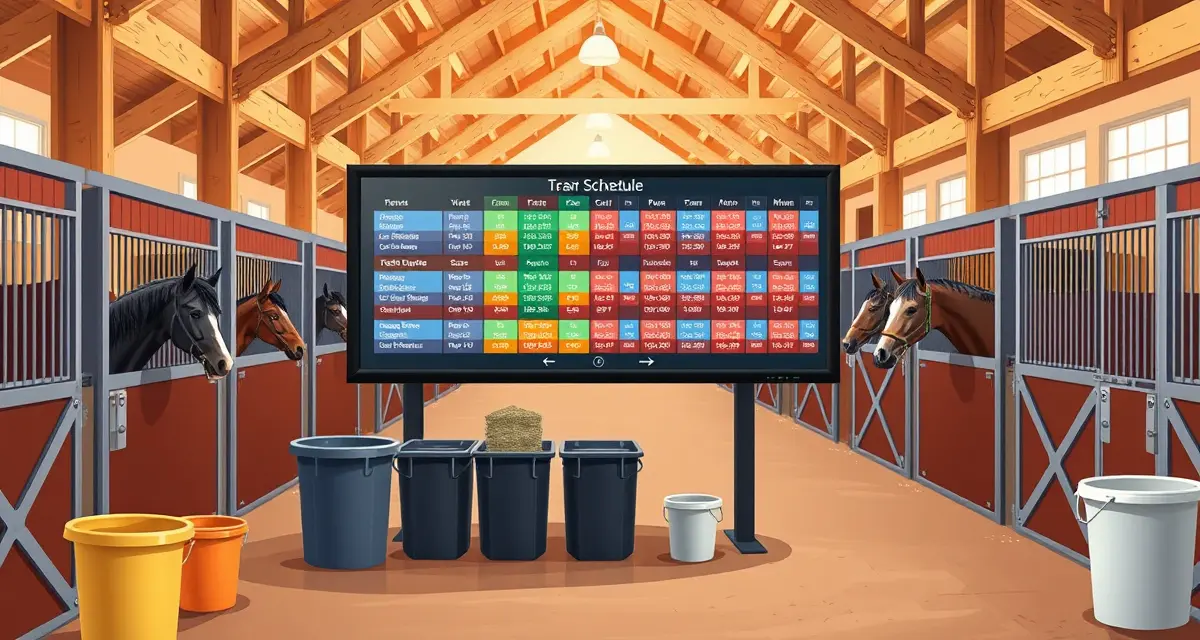
Boarding Barn Feeding Schedule Software for Horse Facilities
Feed errors are the second leading cause of preventable colic, according to the American Association of Equine Practitioners (2023). In a busy boarding barn, those errors almost always trace back to the same root cause: the wrong person got the wrong information at the wrong time.
TL;DR
- Discipline-specific facilities have billing and scheduling demands that differ meaningfully from general boarding operations.
- Performance horse health monitoring needs to track training load and recovery, not just routine care events.
- Show and competition billing requires real-time charge capture at events to avoid reconstruction errors after returning home.
- Owner communication expectations at training facilities are higher than at basic boarding operations.
- Trainer-client trust depends on documented progress records, not just verbal updates after each ride.
- BarnBeacon supports performance-focused facilities with training logs, competition billing, and owner update automation.
Boarding barn feeding schedule software exists to close that gap. This page covers how it works, what to look for, and why the difference between a static spreadsheet and a live, mobile-accessible system matters more than most barn managers realize.
The Problem With How Most Barns Handle Feeding
Walk into the average boarding barn and you'll find feeding instructions on a whiteboard, a printed sheet taped to the feed room door, or a shared spreadsheet that was last updated three weeks ago. None of these systems can tell a staff member that a horse's grain was cut in half yesterday because the vet called.
That lag is where mistakes happen. A new part-time employee feeds the old ration. A supplement gets doubled because two people both added it. A horse with a history of laminitis gets the wrong hay because the note was on a sticky note that fell behind the feed bin.
The problem scales with barn size. At 10 horses, a whiteboard is manageable. At 30 or 50, it becomes a liability.
What Boarding Barn Feeding Schedule Software Actually Does
Good boarding barn feeding schedule software replaces static documents with a live system that every staff member can access from their phone. The core function is simple: each horse has a digital feed card that shows exactly what to feed, when, and in what amounts.
The difference is what happens when something changes. A digital system updates instantly. Every device that pulls up that horse's card shows the new information, with no reprinting, no erasing, no hoping someone read the whiteboard.
BarnBeacon takes this further by generating individual feed cards visible to all staff on mobile, updating in real-time the moment a manager or owner makes a change. That means the 5 a.m. feeding crew sees the same information as the barn manager who made an update at 11 p.m. the night before.
Core Features to Look For
Per-Horse Digital Feed Cards
Every horse in your barn should have its own feed card that lives in the system, not in someone's memory. A proper feed card includes the horse's name, stall number, feed type, grain amounts by meal, hay type and quantity, supplements, and any feeding notes from the vet or owner.
The card should be readable at a glance. Staff shouldn't have to scroll through paragraphs of notes to figure out how much senior feed goes in the bucket.
For a detailed breakdown of what a complete feed card should contain, see our guide to building effective feeding schedules.
Real-Time Diet Change Alerts
This is where spreadsheets fail completely. A spreadsheet can't notify anyone that a change was made. Someone has to remember to update it, and someone else has to remember to check it.
A proper horse feeding management system sends alerts when a diet changes. The barn manager updates the card, and the system flags it for the next feeding. Staff see a visual indicator that something is different before they even open the full card.
This is especially critical for horses coming off surgery, recovering from illness, or transitioning between hay types. A missed transition note is a colic risk.
Supplement Tracking
Supplements are where feeding errors concentrate. A horse might be on five or six different products, each with its own dosing schedule, and some given only on certain days of the week.
Software should track each supplement separately, including dose, frequency, and whether it's given with grain or separately. It should also flag when a supplement is running low so you can reorder before you run out mid-course.
Feeding Time Scheduling
Not every horse gets fed on the same schedule. Some horses need three meals a day. Some are on restricted grazing and need hay at specific intervals. Some are on night check grain only.
The software should let you set feeding windows per horse, not just barn-wide. Staff should be able to filter the feed list by the current feeding time so they only see the horses that need attention right now.
Staff Instructions and Notes
Feed cards need a notes field that's actually useful. That means space for vet instructions, owner preferences, behavioral notes ("this horse pins ears when you approach with grain, approach from the left"), and temporary changes with an expiration date.
Temporary notes that auto-expire are particularly valuable. If a horse is on a restricted diet for two weeks post-colic, you don't want that restriction still showing up six months later because someone forgot to remove it.
Owner Visibility
Boarding clients want to know their horse is being fed correctly. Some software allows owners to view their horse's feed card directly, which reduces the number of "just checking in" calls and texts a barn manager has to field every week.
Owner-facing visibility also creates accountability. When a client can see exactly what their horse is being fed, there's less room for misunderstanding about whether a supplement was actually given.
How BarnBeacon Handles Feeding Schedule Management
BarnBeacon was built specifically for multi-horse facilities where feeding accuracy is non-negotiable. The system generates a digital feed card for every horse in the barn, accessible from any device with a browser.
When a diet change is made, the update is immediate. There's no sync delay, no version conflict, no risk that someone is looking at yesterday's instructions. The system also logs every change with a timestamp and the name of the person who made it, which creates a clear audit trail if a question comes up later.
Staff can check off each feeding as it's completed, which gives barn managers a real-time view of what's been done and what's still pending. That check-off record also serves as documentation if a horse has a health event and the vet asks about recent feeding history.
For facilities that also manage medications, BarnBeacon connects feeding records directly to medication tracking, so you can see at a glance which horses have medications that need to be given with feed.
Comparison: Spreadsheet vs. Whiteboard vs. Dedicated Software
| Feature | Spreadsheet | Whiteboard | Dedicated Software |
|---|---|---|---|
| Real-time updates | No | No | Yes |
| Mobile access for staff | Limited | No | Yes |
| Per-horse feed cards | Manual | Manual | Automated |
| Change alerts | No | No | Yes |
| Supplement tracking | Manual | No | Yes |
| Feeding confirmation log | No | No | Yes |
| Owner visibility | No | No | Yes |
| Audit trail | No | No | Yes |
| Scales past 20 horses | Poorly | No | Yes |
The gap between spreadsheets and dedicated software isn't about features for their own sake. It's about what happens at 5 a.m. when a new staff member is feeding 35 horses alone and one of them had a vet visit yesterday. A spreadsheet gives them nothing. A live feed card gives them everything they need.
Setting Up Feeding Schedules in BarnBeacon
Step 1: Add Each Horse to the System
Start by entering every horse in your barn with their basic profile: name, stall number, owner, and any relevant health flags. This takes about two minutes per horse and only needs to be done once.
Step 2: Build the Feed Card
For each horse, enter the full feeding protocol. Include grain type and amount per meal, hay type and quantity, all supplements with doses and frequency, and any special instructions. If you're migrating from a spreadsheet, this is the step where you'll catch inconsistencies you didn't know existed.
Step 3: Set Feeding Windows
Assign each horse to the appropriate feeding times. Most barns run two or three feeding windows per day. The system will automatically include each horse in the right feeding list based on their schedule.
Step 4: Assign Staff Access
Set up staff accounts with appropriate permissions. Feeding staff can view and check off feed cards. Barn managers can edit cards and make diet changes. Owners can view their horse's card if you choose to enable that.
Step 5: Train Staff on the Mobile Interface
The system only works if staff actually use it. Run a brief walkthrough showing how to pull up the feeding list, read a feed card, and check off completed feedings. Most staff are comfortable with the interface within one feeding session.
Step 6: Enable Change Notifications
Turn on alerts for diet changes so staff are notified before the next feeding when something has been updated. This is the single most important step for preventing feed errors.
Managing Feed Changes at Scale
One of the hardest operational challenges in a boarding barn is handling owner-requested feed changes across a large herd. An owner calls and asks you to switch their horse from one hay type to another. Simple enough for one horse. But if you're managing 40 horses and getting three or four requests a week, the administrative load adds up fast.
With dedicated software, a feed change takes about 30 seconds. You open the horse's card, update the relevant field, save it, and every staff member sees the new information at the next feeding. There's no reprinting, no calling the staff, no hoping the whiteboard got updated.
The system also keeps a log of every change, so if an owner asks "when did you switch my horse to the new hay?" you have an exact date and time.
Supplement Inventory and Reorder Tracking
Most boarding barns manage supplements on a per-horse basis, with owners supplying their own products. Keeping track of what's in stock for each horse is a constant administrative task.
Good boarding barn feeding schedule software includes a supplement inventory view that shows current stock levels and flags when a product is running low. Some systems allow you to set a reorder threshold so you get an alert before you run out, not after.
This matters most for horses on prescription supplements or compounded medications where there's a lead time on reordering. Running out mid-course and skipping doses is both a health risk and a client relations problem.
Common Mistakes Barn Managers Make With Feeding Systems
Using one system for management and another for staff. If the barn manager tracks feeding in software but staff still use a whiteboard, you have two systems that will inevitably diverge. Pick one system and use it for everything.
Not logging temporary changes. A horse on a two-week restricted diet needs that restriction to have an end date in the system. Open-ended temporary notes become permanent by default.
Skipping the check-off step. The feeding confirmation log is only useful if staff actually check off each feeding. Build this into your standard operating procedure from day one.
Not updating cards after vet visits. Vet visits often result in diet changes. Make it a rule that the feed card gets updated the same day as the visit, before the next feeding.
Giving all staff edit access. Feeding staff should be able to view and check off, not edit. Keeping edit access limited to barn managers prevents accidental changes and maintains a clean audit trail.
How do I manage feeding schedules for 30+ horses?
At 30 or more horses, manual systems break down fast. The only reliable approach is dedicated software with per-horse digital feed cards that staff access on mobile. You need a system where changes update instantly across all devices, where staff can filter the feeding list by time of day, and where every completed feeding gets logged. Trying to manage that volume with a spreadsheet or whiteboard means relying on human memory to catch errors, and at that scale, errors are inevitable.
What should a horse feed card include?
A complete horse feed card should include the horse's name, stall number, grain type and amount per meal, hay type and daily quantity, all supplements with individual doses and frequency, any vet-prescribed dietary restrictions, behavioral notes relevant to feeding, and a field for temporary instructions with an expiration date. The card should be readable at a glance so a staff member can feed the horse correctly without having to interpret ambiguous notes or cross-reference another document.
How do I handle owner-requested feed changes across a whole barn?
The key is having a single system where changes are made once and immediately visible to everyone. When an owner requests a change, open the horse's digital feed card, update the relevant field, and save. The system should log the change with a timestamp and notify staff before the next feeding. Avoid taking feed change requests verbally without immediately entering them into the system. A request that lives only in your memory or a text message is a request that will eventually get missed.
What is the most common mistake barn managers make with record-keeping?
The most common record-keeping mistake is logging health events, billing items, and care tasks after the fact from memory rather than at the time they occur. Delayed logging introduces errors, omissions, and disputes that are difficult to resolve because the original record does not exist. Moving to real-time digital logging, from any device, is the single most impactful record-keeping improvement available to most facilities.
How does barn management software save time at a multi-horse facility?
The largest time savings come from eliminating manual tasks that recur at high frequency: sending owner updates, generating monthly invoices, tracking care task completion across shifts, and scheduling recurring appointments. At a facility with 25 or more horses, these tasks can consume several hours per day when done manually. Automating the routine layer returns that time without reducing quality of communication or care.
Related Articles
FAQ
What is Boarding Barn Feeding Schedule Software for Horse Facilities?
Boarding barn feeding schedule software is a digital platform that replaces paper charts and static spreadsheets with a live, mobile-accessible system for managing horse feeding protocols. It stores each horse's individual diet—hay type, grain amounts, supplements, and timing—and delivers that information to barn staff in real time. When a horse's needs change, updates push instantly to every device on the property, eliminating the miscommunication that causes feed errors and preventable health issues like colic.
How much does Boarding Barn Feeding Schedule Software for Horse Facilities cost?
Pricing varies by barn size and feature set. Most platforms charge a monthly subscription ranging from roughly $50 to $300 per month, with larger operations or those needing billing, health tracking, and owner communication tools sitting toward the higher end. Some providers charge per-horse fees instead. BarnBeacon offers tiered plans designed to scale with your operation, so a small private barn and a 60-stall boarding facility are not paying for the same thing.
How does Boarding Barn Feeding Schedule Software for Horse Facilities work?
After setup, each horse's feeding program is entered into the system with specific quantities, timing, and any dietary flags. Staff access the schedule through a mobile app or web dashboard and confirm feedings as they complete them. Barn managers can see completion status in real time and receive alerts if a feeding is missed or overdue. When a horse's diet changes—due to a vet recommendation or owner request—the update is made once and immediately visible to everyone on staff.
What are the benefits of Boarding Barn Feeding Schedule Software for Horse Facilities?
The core benefit is error reduction. When every staff member sees the same live schedule, the chance of a horse receiving the wrong feed, a missed supplement, or a double feeding drops sharply. Beyond safety, the software creates a documented feeding history useful for vet consultations, insurance claims, and owner transparency. It also saves time by eliminating daily schedule rewrites, reduces the learning curve for new staff, and supports billing accuracy by tying feed charges directly to recorded care events.
Who needs Boarding Barn Feeding Schedule Software for Horse Facilities?
Any facility housing multiple horses benefits, but the need is most acute at busy boarding barns with rotating staff, multiple shift changes, or horses on highly individualized diets. Performance and training facilities dealing with horses on strict nutritional programs have even less margin for error. Operations running concurrent events, seasonal staff, or frequent new horse intake—situations where institutional knowledge is fragile—are exactly the environments where a centralized, real-time feeding platform pays for itself quickly.
How long does Boarding Barn Feeding Schedule Software for Horse Facilities take?
Initial setup typically takes one to three days for a barn of average size. Entering horse profiles, feeding protocols, and staff accounts is straightforward, and most platforms offer onboarding support. Daily use adds almost no time—staff confirm feedings with a tap, and managers review dashboards in minutes. The time investment is front-loaded; once the system is running, it replaces a process that was slower and more error-prone than it felt, freeing up meaningful time across each week.
What should I look for when choosing Boarding Barn Feeding Schedule Software for Horse Facilities?
Look for mobile accessibility that works in low-connectivity barn environments, the ability to store per-horse dietary details with easy editing, real-time confirmation tracking so managers know what has and has not been done, and integration with billing or health records if you run a full-service operation. Alert systems for missed feedings and a clear audit trail are non-negotiable for liability reasons. Avoid platforms that require desktop access only or lack the granularity to handle horses with complex, individualized nutritional needs.
Is Boarding Barn Feeding Schedule Software for Horse Facilities worth it?
For most boarding barns, yes. Feed errors are the second leading cause of preventable colic, and a single colic case can cost thousands in vet bills, damage owner relationships, and create real liability exposure. Software that prevents even one serious incident per year typically justifies its annual cost. Beyond risk reduction, the time saved on daily schedule management, staff communication, and billing reconciliation adds up quickly. For any facility with more than a handful of horses and more than one staff member, the ROI is straightforward.
Sources
- American Horse Council, equine industry economic impact and facility operations research
- American Association of Equine Practitioners (AAEP), equine health care and management guidelines
- University of Kentucky Equine Initiative, equine business management and industry resources
- Rutgers Equine Science Center, equine management research and extension publications
- The Horse magazine, published by Equine Network, equine facility management reporting
Get Started with BarnBeacon
BarnBeacon brings billing, health records, owner communication, and daily operations into one platform built for equine facilities, so the time you spend on administration goes back to the horses. Start a free 30-day trial with full access to every feature, or schedule a demo to see how it handles your specific facility type.